Content experience
A mobile friendly PDF should be easy to read, use, and measure on any device. But many PDFs, guides, reports, and downloadable resources still create friction on phones, exclude people with accessibility needs, and tell marketers very little about whether the content was actually consumed.

Get the free audio ebook for better B2B follow-up.
Learn how to turn PDF downloads, listening behavior, and CTA clicks into stronger sales conversations.
Frequently asked questions
Are PDFs bad for mobile?
Not always. A short, simple PDF can work fine. Problems usually appear when the PDF is long, dense, multi-column, image-heavy, form-heavy, or designed mainly for desktop and print.
Can PDFs be accessible?
Yes. PDFs can be made accessible, but they need proper structure, tags, reading order, alt text, form labels, document language, and testing. Accessibility should not be assumed just because the file opens.
Should I replace PDFs with HTML?
In many cases, an HTML version is better for on-screen reading, mobile usability, accessibility, and analytics. But the PDF can still stay available as a downloadable or printable version.
Does adding audio make a PDF accessible?
Audio can improve access for some users, but it is not a complete accessibility solution by itself. It works best alongside readable text, transcripts, accessible documents, and accessible player controls.
Why are PDF download numbers misleading?
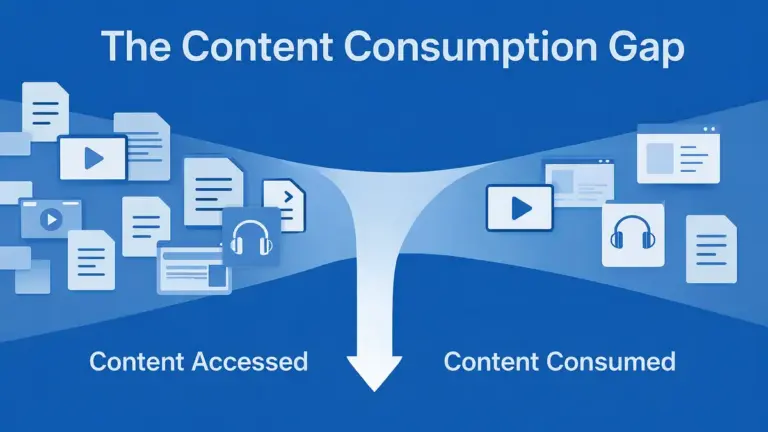
A download shows that someone clicked the file. It does not show whether they opened it, read it, finished it, returned to it, or acted on it.
The bottom line
Your PDF might not be the problem.
The problem is making it the only option.
If your resource matters, give people more than one way to consume it. Keep the PDF for saving, sharing, printing, and formal distribution. Add HTML where possible. Add audio for people who would rather listen. Include transcripts or readable text. Make the experience work on mobile. And measure real engagement instead of treating a file click as proof of attention.
That is better for mobile users.
It is better for people with accessibility needs.
And it gives your marketing team a clearer picture of whether the content is actually doing its job.
See how one PDF becomes a mobile-friendly listening experience
Related reading: If you are planning a guide that supports a real buying decision, see how to create a buyers guide people actually use.
Get the free audio ebook for better B2B follow-up.
Learn how to turn PDF downloads, listening behavior, and CTA clicks into stronger sales conversations.
Related: The PDF Benchmark Report shows aggregate signals for business PDFs, including CTA strength, mobile readability, tracking gaps and format fit.