
How Auripath Turns PDFs Into Audio, Leads and Sales Follow-Up
Auripath turns PDFs, guides, reports, brochures and sales assets into embedded audio with lead capture, CTAs, listening data and click data. More people consume the content, more visitors can convert, and sales can see who listened and clicked.
The simple flow
Auripath gives one existing PDF more ways to create value. Visitors can read or listen. Marketing can capture leads and CTA clicks. Sales can see who listened, how long they listened and what they clicked.
Start with a PDF you already paid to create
Upload a guide, report, brochure, sales asset, case study or client resource. Auripath turns existing content into a read-or-listen asset, so you can get more value from content you already paid for.
You are not starting from zero. You are starting with content your team already uses and giving buyers another way to consume it.
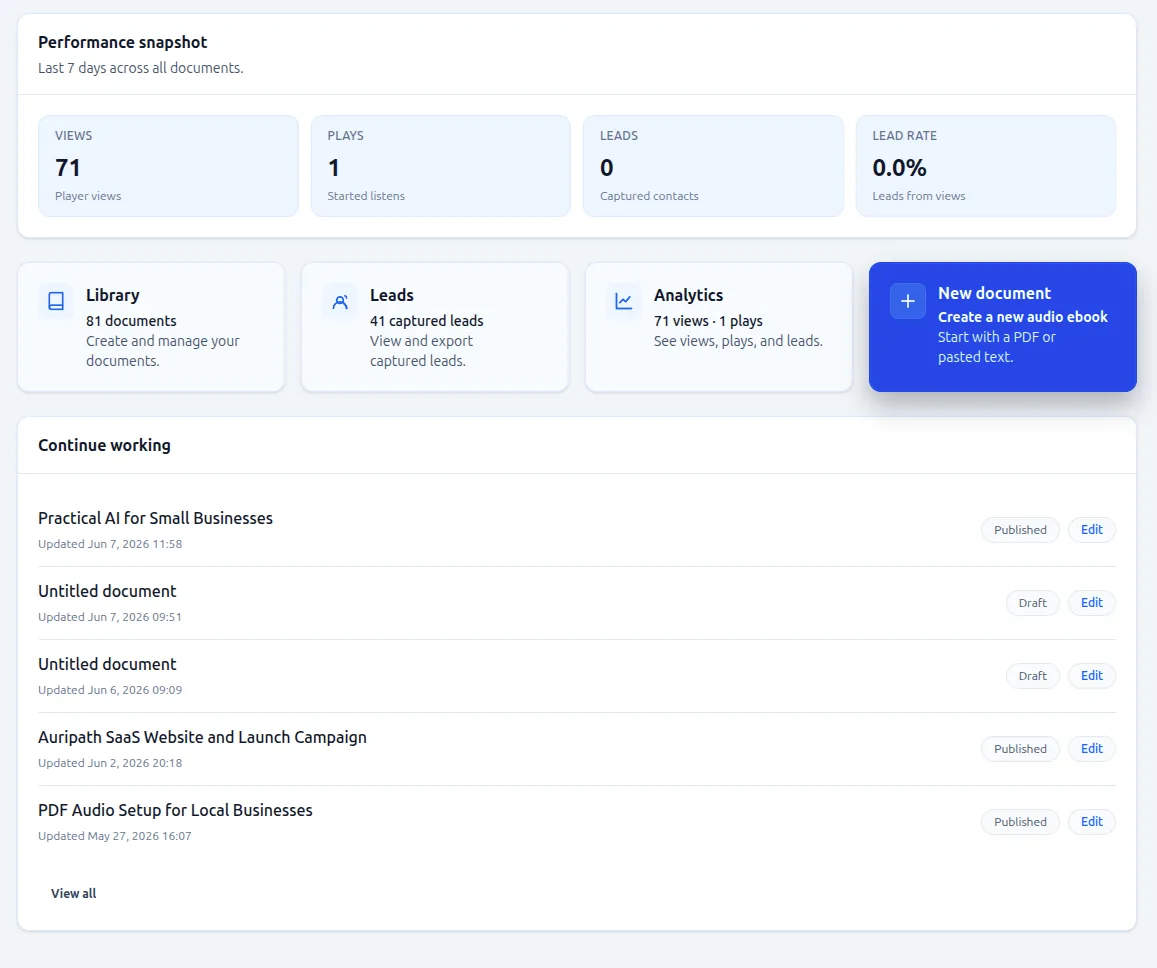
Follow the walkthrough from source PDF to embedded audio, lead capture and follow-up data.
Create audio people can actually listen to
Choose a voice that fits the content and audience. The point is not just to create an audio file. The point is to make useful B2B content easier to consume, so more people finish it and more leads show real interest.
A better listening experience gives buyers a real reason to stay with the content instead of downloading it and disappearing.

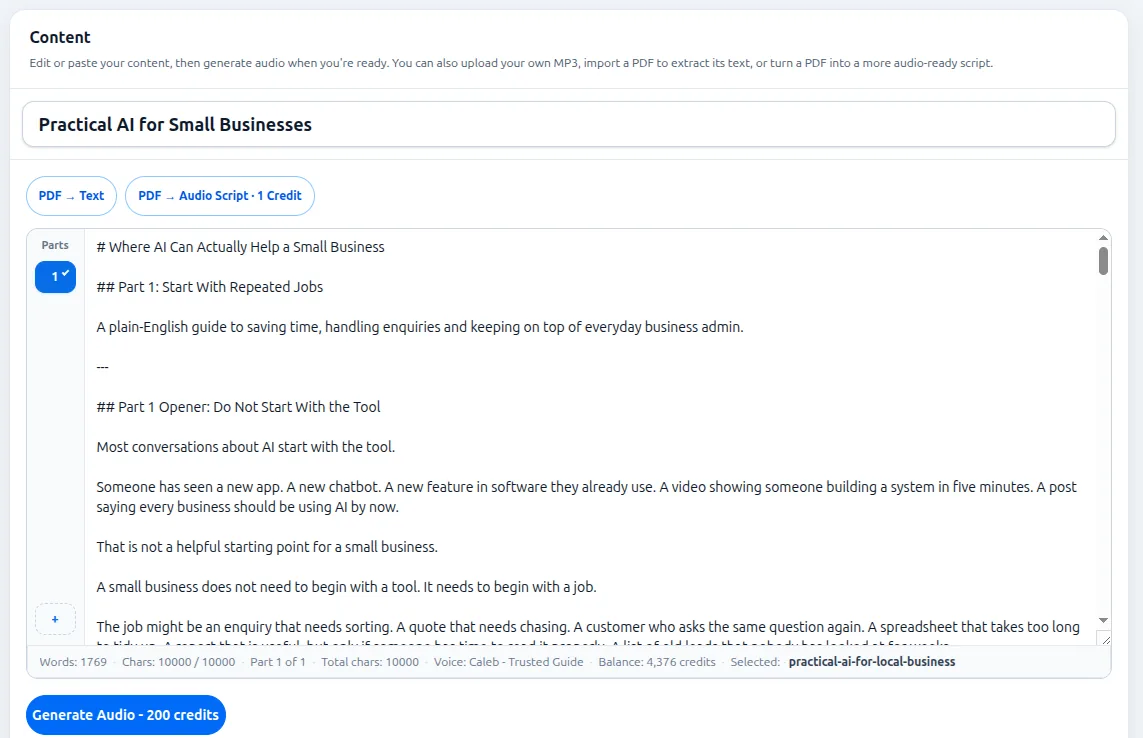
Turn PDF text into listenable audio
Some PDFs work well as direct narration. Others need light cleanup so they sound natural when spoken. Auripath helps turn static PDF text into audio people can actually finish.
If you already have a guide, report or brochure, you can reuse it instead of rebuilding the asset from scratch.
That means more of your existing content library can become usable on-page audio instead of sitting behind another ignored download.
Add branding so the asset feels trustworthy
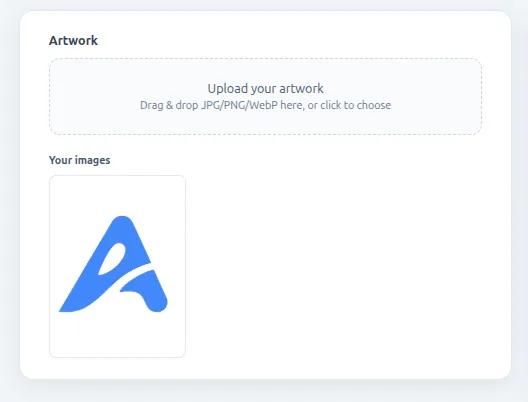
Add a cover image, title and basic branding so the audio asset looks like a real part of your website, not a disconnected file. This helps the read-or-listen version feel credible and consistent with the original PDF.
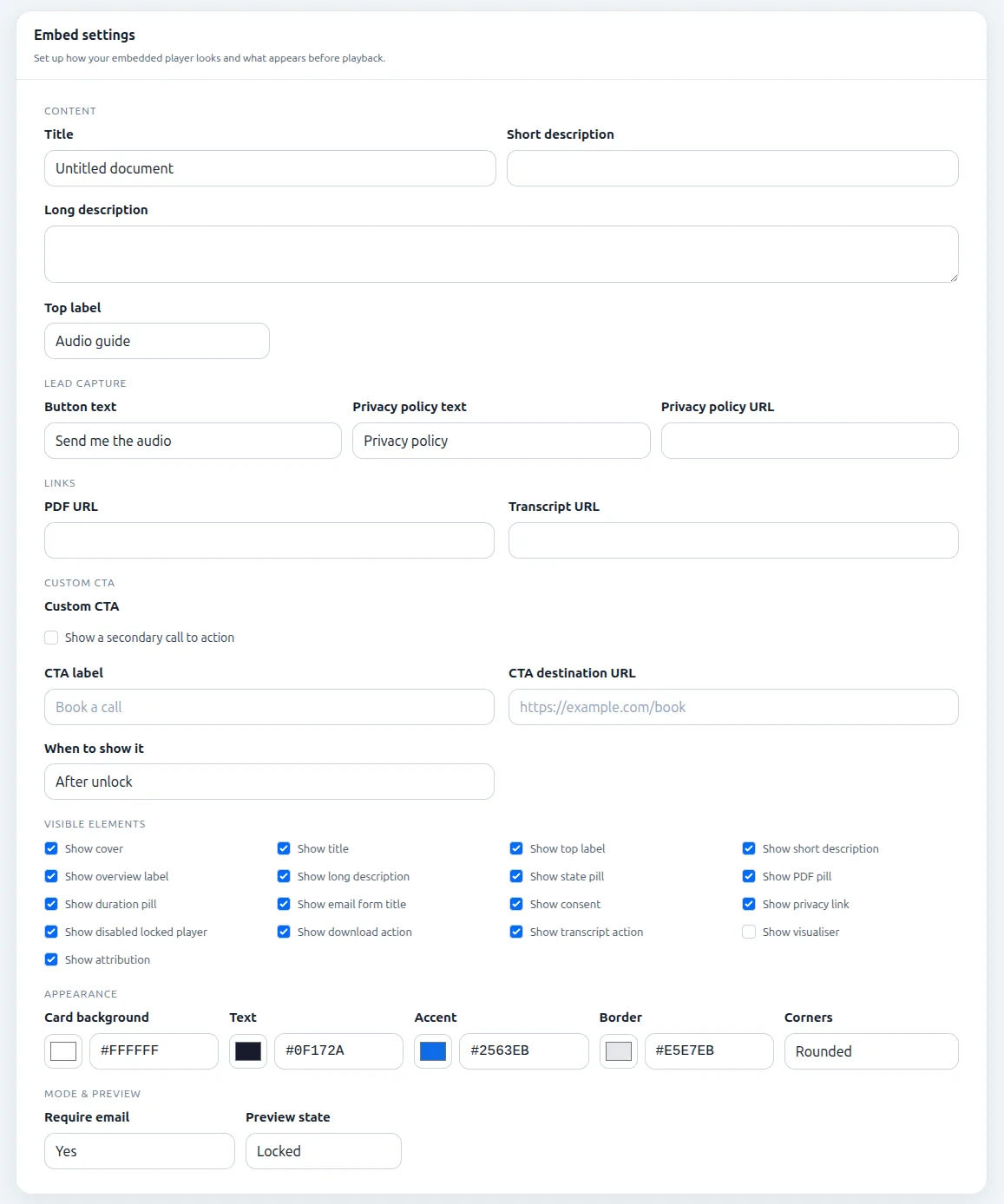
Configure the embedded player for leads and CTAs
Set up the player, lead capture, calls to action and display options. The player is not just for playback. It gives visitors a way to listen, convert, click and take the next step from the same content asset.
You can control the title, description, lead capture text, CTA destination, PDF link, transcript link, colors and visible player elements before it goes live.
Embed the audio where your buyers already are
Add the player to the page where your PDF, guide, report or sales asset already lives. Visitors can read or listen without leaving your website, and the same content can now capture more leads and clicks.
Auripath is designed to sit inside your existing website, so you can improve a page that already gets traffic instead of sending buyers to a separate audio destination.
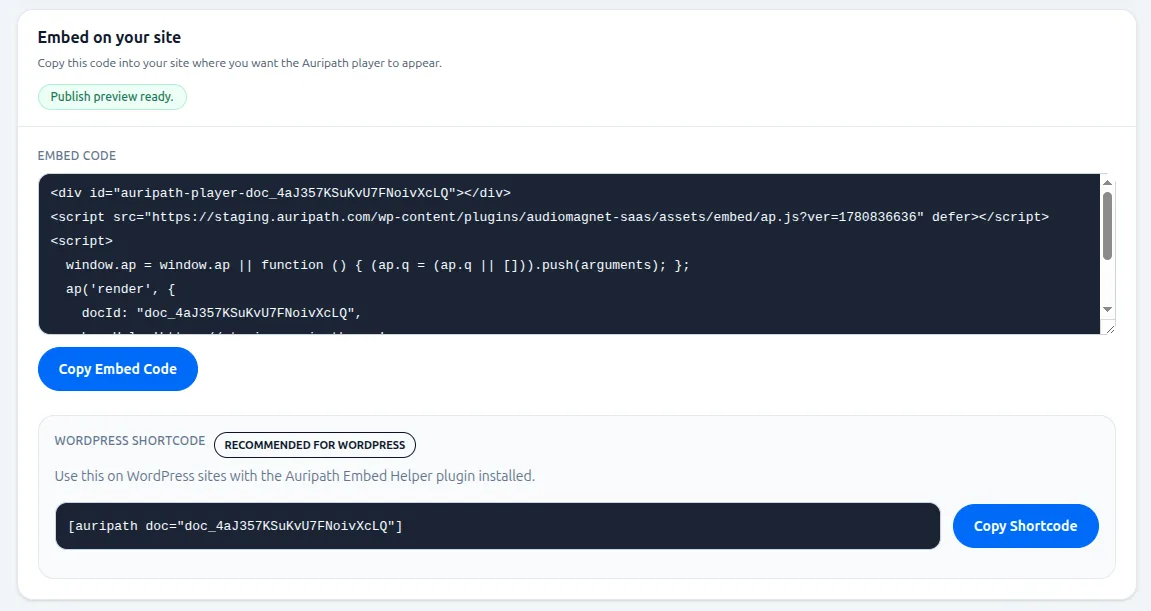
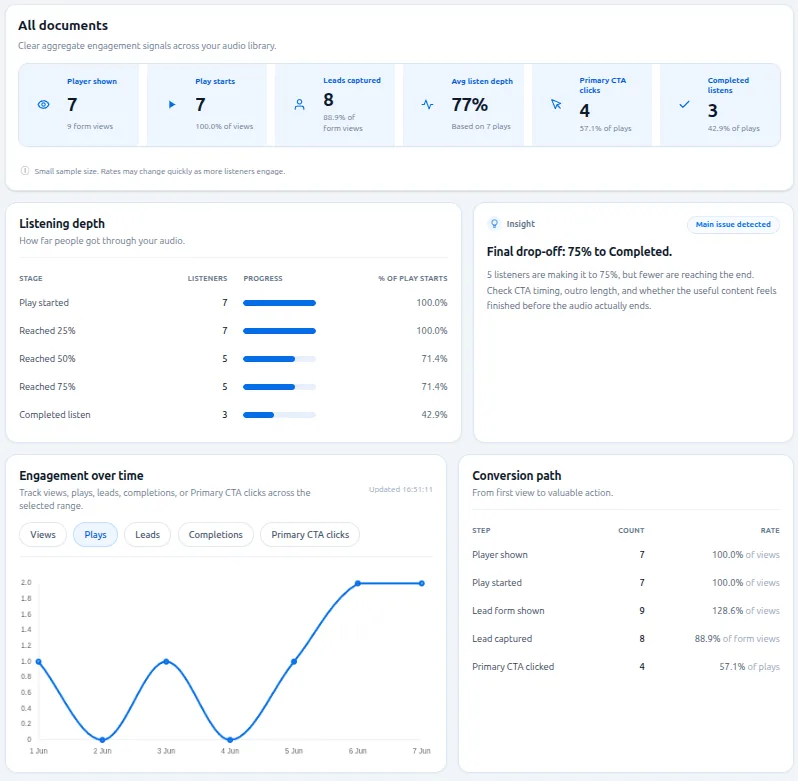
Track who listened, clicked and converted
A PDF download alone does not show real interest. Auripath shows who listened, how much they listened to, which CTAs they clicked and which content each lead cared about. That helps sales chase stronger leads first.
You are not limited to knowing that someone submitted a form. You can see whether they actually consumed the content.
PDF-only vs read-or-listen asset
A PDF-only asset often ends at the download. A read-or-listen asset gives buyers another way to consume the content and gives marketing more ways to capture leads, CTA clicks and follow-up data.
| PDF-only | Read-or-listen with Auripath |
|---|---|
| Download may not mean interest | Visitors can read or listen |
| Hard to know who read it | Lead capture can sit around the asset |
| Sales gets little follow-up context | CTAs can be tracked |
| Retargeting usually depends on page visits or form fills | Sales can see who listened and clicked |
| One weak signal from a form or file access | Marketing can build stronger follow-up and retargeting audiences |
Show sales who listened, clicked and came back
Auripath analytics help turn content behavior into sales and marketing actions. See who listened, how long they listened, who clicked, who converted and which asset each lead cared about.
See how much of the audio people consumed.
See which calls to action actually got clicked.
See which listeners turned into leads.
Help sales chase stronger leads first.
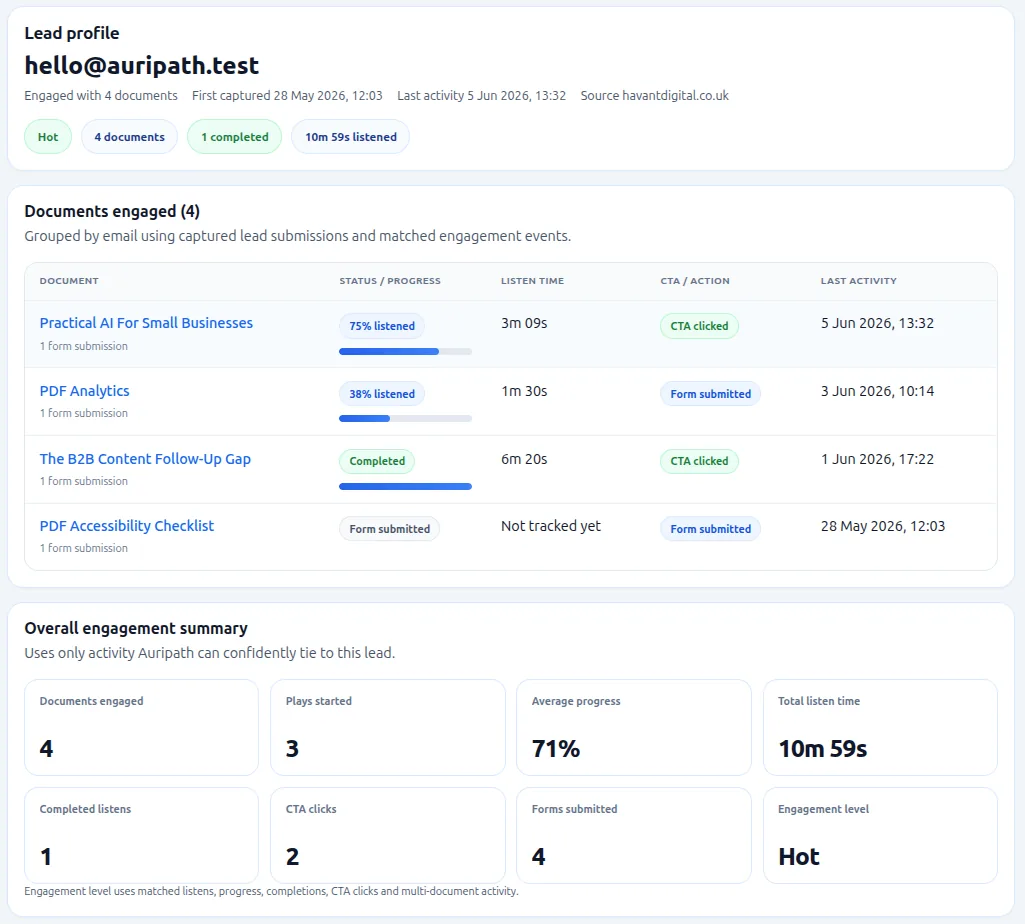
See exactly what each lead did
Instead of giving sales another anonymous PDF download, Auripath shows which lead listened, how much they listened to, what they clicked and which asset they cared about. That gives sales a clearer reason to follow up.
- Which asset captured the lead.
- How much they listened and whether they came back.
- Which CTAs they clicked.
- Which other assets they engaged with.
- Source URL, referrer and UTM data.
- Activity timeline that gives sales a reason to follow up.
This helps you separate weak downloaders from buyers who actually showed interest.
Not just who submitted a form. Who actually listened and clicked.
Frequently asked questions
Can Auripath work with an existing PDF?
Yes. Auripath is designed for PDFs, guides, reports, brochures, sales assets and client resources you already have.
Does Auripath replace the PDF?
No. Auripath gives the same asset a read-or-listen option. Visitors can still read the original content, but they can also listen and take action through the embedded player.
Can I capture leads?
Yes. Auripath can add lead capture and calls to action around the audio player so the asset can turn more visitors into leads.
Can sales see who listened?
Yes. Auripath can show who listened, how much they listened to and which CTAs they clicked, so sales has a clearer reason to follow up.
Want us to set up your first PDF?
Send one existing PDF, guide or report. We can turn it into embedded audio with lead capture, CTAs and listening data, then help get it live on your website.

Get the free audio ebook for better B2B follow-up.
Learn how to turn PDF downloads, listening behavior, and CTA clicks into stronger sales conversations.
Send listening and click data into your follow-up workflow
Send lead, listening and click data into tools such as Zapier, Make, n8n, HubSpot or your own workflow. Marketing can follow up based on behavior, and sales can separate listeners, clickers, drop-offs and weak downloaders.
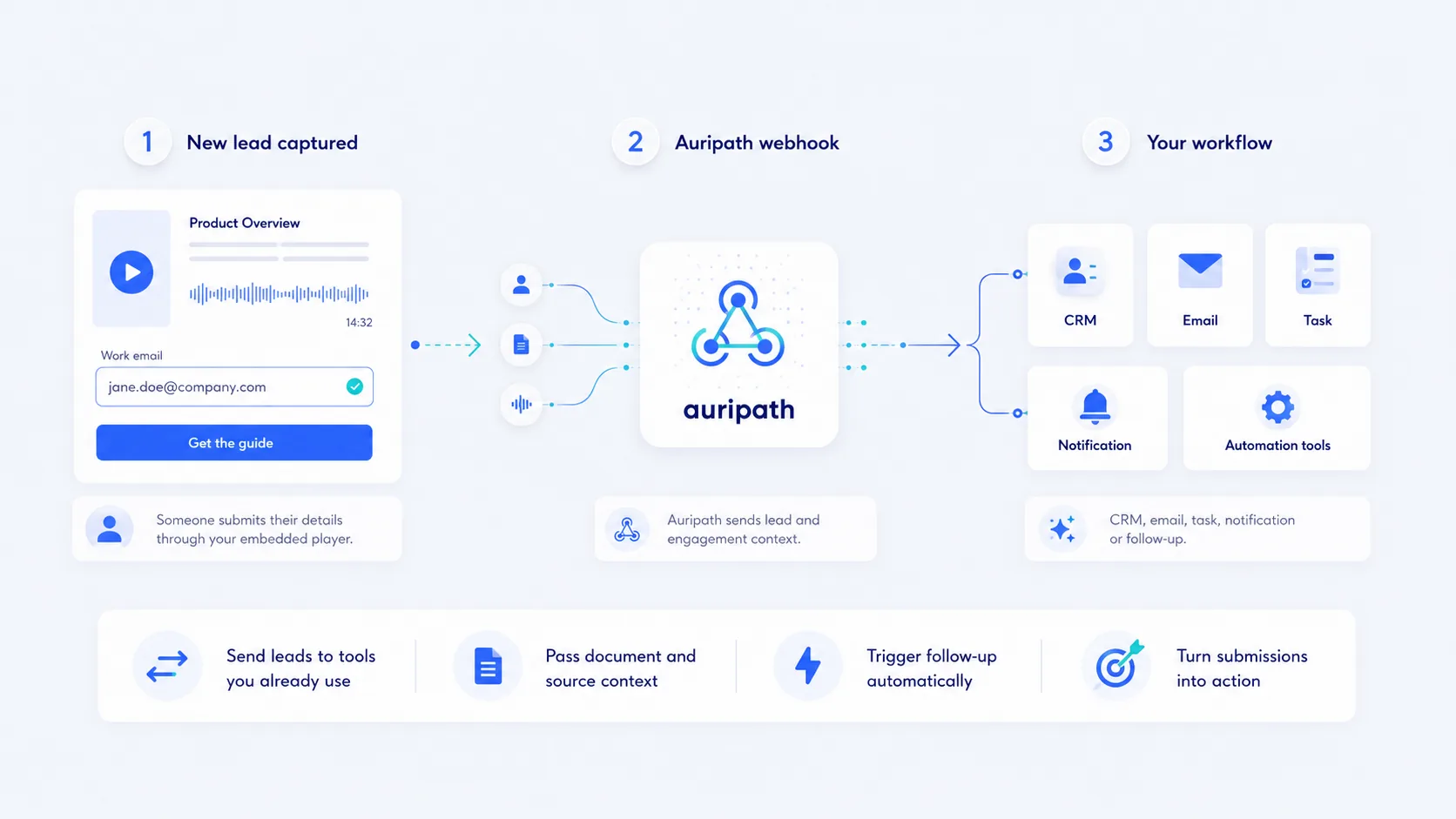
The useful part is context. Auripath can send details such as document title, source URL, referrer, UTM data, clicks and listening behavior, so your follow-up is based on more than a basic form submission.
Auripath is for B2B teams with PDFs that should create revenue
Auripath helps teams get more value from guides, reports, brochures, sales assets and client resources they already use.
Get the free audio ebook for better B2B follow-up
Start with one useful PDF, guide or report. Auripath can turn it into embedded audio with lead capture, CTAs, listening data and click data.
