A buyers guide should do one job: help someone make a better buying decision.
Not skim your brochure. Not admire your branding. Not get trapped in a 24-page PDF they never return to.
A good buyers guide gives the reader enough clarity to compare options, ask better questions, understand trade-offs, and decide what to do next.
That is why it can be such valuable B2B content.
But there is a catch.
Most companies publish a PDF buyers guide, track the download, and stop there. The problem is that a download does not prove the person read it, finished it, understood it, shared it, or acted on it.
So in this article, we will cover two things:
- How to create a genuinely useful buyers guide.
- How to publish it in a way that makes it easier to consume and measure.
You will get a practical structure, B2B buyers guide examples, common mistakes, a checklist, and a smarter way to think about PDF, HTML, audio, lead capture, and engagement analytics.
Quick answer: how do you create a buyers guide?
To create a useful buyers guide, start with a real buying decision. Then define who the guide is for, explain the buying situation, list the key decision criteria, compare realistic options, include questions to ask vendors, cover costs and risks, and finish with a clear next step.
In simple terms, a good buyers guide should include:
- Who the guide is for
- The buying problem or situation
- Key decision criteria
- Available options or approaches
- A comparison table
- Questions to ask suppliers
- Common mistakes
- Cost, risk, and implementation considerations
- A checklist
- A clear next step
The best buyers guides are not thin sales documents. They help the reader make progress before they speak to sales.
That matters because B2B buyers often research heavily before talking to a vendor. Gartner describes B2B buying as a non-linear process where buyers move through jobs such as problem identification, solution exploration, requirements building, and supplier selection.
Your buyers guide should help with those jobs.
What is a buyers guide?
A buyers guide, or buyer’s guide, is a decision-support resource that helps someone understand what to look for before they buy.
It is usually more practical than a general blog post and less self-centred than a brochure.
A blog post might answer a single question. A brochure usually explains what a company sells. A buyers guide should help the reader compare options, understand risks, and decide what matters.
For example:
- A brochure says: “Here are our managed IT services.”
- A buyers guide says: “Here is how to choose a managed IT provider, what to compare, what to ask, and what mistakes to avoid.”
That difference is important.
Buyers are not just looking for content. They are trying to reduce uncertainty.
They want to know:
- What are my options?
- What should I compare?
- What will this cost?
- What could go wrong?
- What questions should I ask vendors?
- How do I justify this internally?
A strong B2B buyers guide answers those questions without pretending every path leads neatly to your product.
When should you create a buyers guide?
You should create a buyers guide when the decision is important enough that the buyer needs more than a quick product page.
That usually means one or more of these things are true:
- The product or service is expensive.
- The buying process involves multiple stakeholders.
- The wrong choice creates operational, financial, or compliance risk.
- Buyers ask the same questions repeatedly before booking a call.
- There are several valid options to compare.
- The decision requires internal justification.
- Your sales cycle is long enough that buyers research before contacting you.
This is why buyers guides work well for B2B services, SaaS, technical products, manufacturing, facilities, compliance-led services, consultancy, managed services, and professional services.
McKinsey’s B2B research has highlighted how buyers now move across many digital and human channels. They do not simply read one page and book a demo.
They compare. They ask peers. They involve colleagues. They revisit the problem.
That is where a useful buyers guide can help.
Practical rule: if your sales team keeps explaining the same buying criteria on calls, that is probably a buyers guide waiting to be written.
What should a buyers guide include?
There is no magic word count. There is no perfect design template.
But there is a structure that works.
1. Who the guide is for
Start by making the audience obvious.
Do not write “The complete guide to IT services” if you actually mean “A managed IT services buyers guide for 50 to 250 person professional services firms.”
Specific beats broad.
A clear audience statement helps the reader decide whether the guide is worth their time.
Example:
This guide is for operations directors, finance directors, and business owners comparing managed IT support providers for a growing UK business.
2. The buying situation
Next, describe the trigger.
Why is the buyer looking now?
Maybe their current supplier is slow. Maybe costs are rising. Maybe they need better reporting. Maybe they have outgrown a basic setup. Maybe compliance expectations have changed.
This section makes the guide feel grounded in a real decision.
3. Key decision criteria
This is the heart of the guide.
List the criteria buyers should use to compare options.
For a B2B buyers guide, these might include:
- Price and pricing model
- Scope of service
- Implementation time
- Support levels
- Technical capability
- Compliance requirements
- Reporting and visibility
- Integration with existing systems
- Risk and switching costs
- Proof, references, or case examples
Do not just list these. Explain why each criterion matters.
4. Options or approaches
Most buyers are not just comparing vendors. They are comparing approaches.
For example:
- In-house vs outsourced
- Project-based vs retained support
- Low-cost provider vs specialist provider
- DIY software vs managed service
- One-off installation vs ongoing maintenance
Your guide should help the reader understand when each option makes sense.
That builds trust.
5. A useful comparison table
Comparison tables can be powerful, but only when they are simple.
Nielsen Norman Group’s guidance on comparison tables makes a useful point: comparison tables work best when the options and attributes are clear enough for people to compare quickly.
Do not create a giant table with 40 rows just to look comprehensive.
A good comparison table might include:
| Option | Best for | Strengths | Watch-outs |
|---|---|---|---|
| Low-cost provider | Simple needs and tight budgets | Affordable, quick to start | May lack depth, reporting, or strategic support |
| Specialist provider | Complex needs or regulated sectors | Better expertise and process | Higher cost, may require more onboarding |
| In-house team | Larger organizations with ongoing demand | Control and internal knowledge | Recruitment, management, and coverage issues |
6. Questions to ask vendors
This is one of the most valuable parts of a buyers guide.
Give the reader questions they can use in real conversations.
For example:
- What is included in the quoted price?
- What is excluded?
- Who handles implementation?
- What happens if something goes wrong?
- What reporting will we receive?
- What does onboarding require from our team?
- Can you show examples from similar businesses?
- How do you handle support, escalation, and response times?
This makes your guide useful even if the buyer does not choose you.
That is the point.
7. Cost, risk, and implementation
A weak buying guide avoids the awkward stuff.
A strong one explains it.
Talk about:
- Upfront cost
- Ongoing cost
- Hidden cost
- Switching cost
- Internal time required
- Implementation risk
- Compliance or operational risk
- The cost of doing nothing
According to Demand Gen Report’s 2024 B2B Buyer’s Survey, content that helps buyers build a business case can influence vendor preference.
That makes sense. In B2B, the buyer often has to justify the decision internally.
8. A clear next step
End with a next step that fits the guide.
That might be:
- Download a checklist
- Compare your current setup
- Book a consultation
- Try a calculator
- Request a tailored recommendation
- View pricing
The CTA should not feel bolted on. It should be the obvious next action after reading the guide.

Get the free audio ebook for better B2B follow-up.
Learn how to turn PDF downloads, listening behavior, and CTA clicks into stronger sales conversations.
Where audio fits in a buyers guide
A buyers guide can be long.
It can also be decision-heavy.
That creates a problem: even interested buyers may not want to sit and read a long PDF on a phone.
Some people will read carefully. Some will skim. Some may prefer to listen while commuting, walking, working through admin, or reviewing options away from their desk.
That is where an audio version can help.
Audio should not replace the text version. It should sit alongside it.
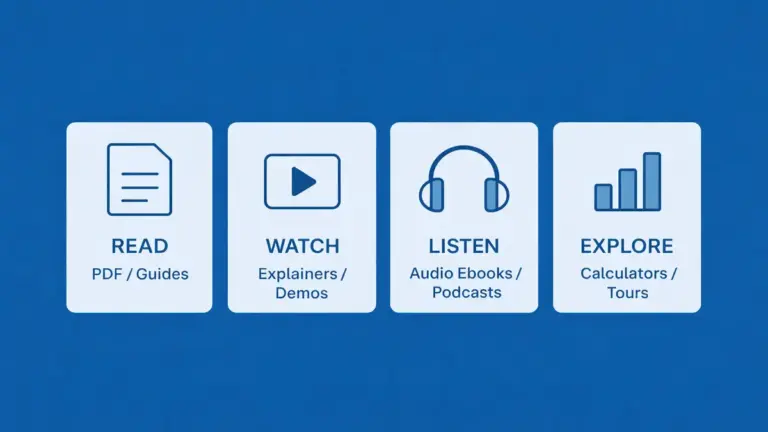
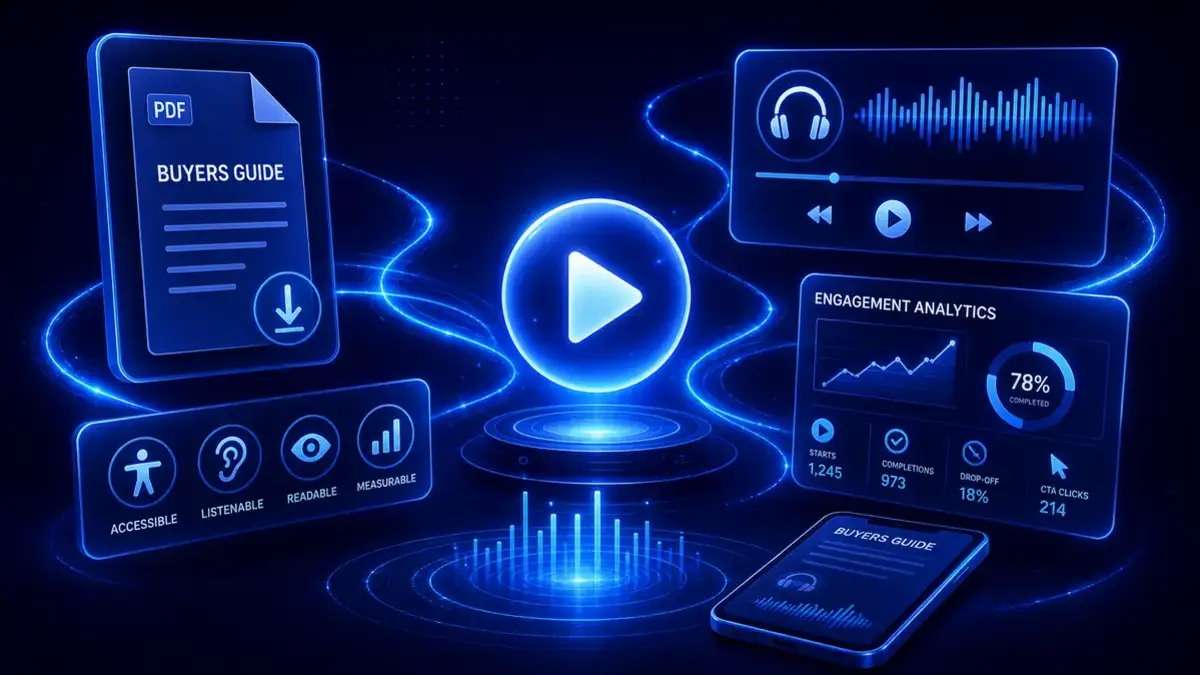
A practical publishing setup might include:
- An HTML guide page for reading and search visibility.
- A downloadable PDF for people who want the file.
- An embedded audio guide for people who prefer to listen.
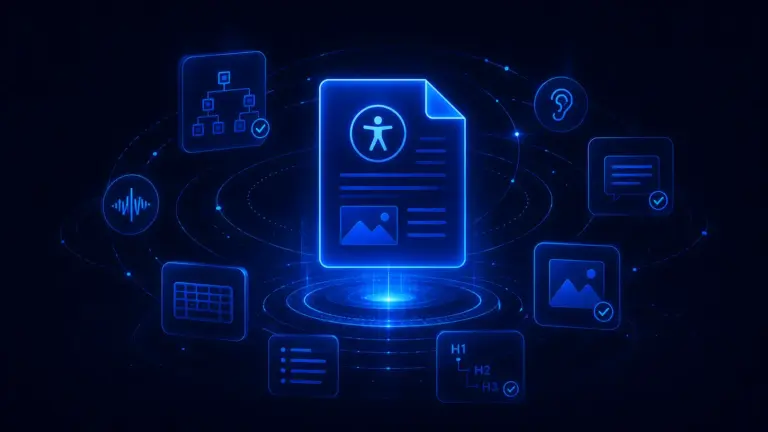
- A transcript or readable text for accessibility and scanning.
- A clear CTA for the next step.
- Engagement analytics to show how people use the content.
This matters because audio alone does not make content accessible. The W3C guidance on transcripts explains why text alternatives still matter for audio content.
Before turning a buyer guide into another format, check the source document against this PDF accessibility checklist.
So the right position is simple:
Audio is an additional access path, not a replacement for text.
For Auripath, this is the natural fit.
Auripath’s branded website audio player lets teams keep the guide inside the website journey instead of sending people away to a separate file or third-party player.
Optional lead capture can be added carefully. That might mean asking for details before listening, after a certain point, or only when someone wants the downloadable resource.
The point is not to force a form everywhere.
The point is to make the guide easier to consume and easier to measure.
Buyers guide checklist: will people actually use it?
Before you publish your buyers guide, run through this checklist.
- Is the guide written for a real buying decision?
- Is the target reader clear?
- Does it explain the buying situation?
- Does it answer the questions buyers ask before contacting sales?
- Does it include decision criteria?
- Does it compare realistic options?
- Does it explain trade-offs and risks?
- Does it cover cost factors honestly?
- Does it include questions to ask vendors?
- Is the comparison table simple enough to use?
- Is the guide easy to scan?
- Is it useful on mobile?
- Is there an HTML version, PDF version, or both?
- Would an audio version help some buyers consume it?
- If there is audio, is there also readable text or a transcript?
- Is the next step clear?
- Can you measure more than downloads?
- Can sales or marketing see useful follow-up context?
- Would someone who never buys from you still find it useful?
That last question matters.
If the answer is yes, you probably have a real buyers guide.
If the answer is no, you probably have a sales document wearing a helpful title.
How to promote a buyers guide
Creating the guide is only half the work.
You also need to put it where buyers will find it.
Add it to relevant service pages
If the guide supports a specific buying decision, link to it from the relevant product or service page.
Use it in sales follow-up
Send the guide after discovery calls, proposal conversations, and early-stage inquiries.
Turn sections into supporting blog posts
Each decision criterion can become a separate article.
For example, a managed IT services buyers guide could support blog posts on response times, onboarding, cybersecurity scope, and contract terms.
Use it in email sequences
Break the guide into practical emails. Do not just send “download our guide.” Send useful sections.
Make it easy to return to
If the guide only exists as a downloaded PDF, the buyer may forget where it came from.
An on-page version with a branded audio player, readable text, and clear next steps keeps the experience connected to your website.
Frequently asked questions
What is a buyers guide?
A buyers guide is a resource that helps someone make a buying decision. It explains what to compare, what questions to ask, what risks to consider, and what steps to take next.
How do you write a buyers guide?
Start with the buying decision. Define who the guide is for, explain the problem, list decision criteria, compare options, include vendor questions, cover cost and risk, and finish with a checklist or next step.
What should a buyers guide include?
A strong buyers guide should include the target audience, buying situation, decision criteria, comparison table, vendor questions, common mistakes, cost considerations, implementation considerations, checklist, and next step.
What is the difference between a buyers guide and a brochure?
A brochure presents the supplier. A buyers guide helps the buyer decide. A brochure is usually company-centred. A buyers guide should be buyer-centred.
Should a buyers guide be a PDF?
A PDF can be useful, especially when buyers want to download, print, or share the guide internally. But for search, mobile usability, updating, and measurement, an HTML version is often better. Many teams should offer both.
Should a buyers guide be gated?
Not always. Gating can work when there is a clear value exchange, but it can also reduce access and sharing. Test it carefully. Do not gate by default just because the guide took time to create.
How long should a buyers guide be?
It should be long enough to help the buyer make progress, but short enough to stay usable. A focused five-page guide can be better than a padded 30-page PDF.
How do you measure whether people use a buyers guide?
Track more than downloads. Look at page engagement, scroll depth, CTA clicks, return visits, audio starts, completions, drop-off points, replays, and lead capture submissions where relevant.
Can a buyers guide be turned into audio?
Yes. A buyers guide can be turned into an audio guide so people can listen as well as read. The audio version should sit alongside the PDF or HTML version, with readable text or a transcript where possible.
What are good buyers guide examples?
Good buyers guide examples include managed IT services, fire alarm systems, solar installation, facilities management, injection moulding, training providers, engineering suppliers, and other complex B2B buying decisions where comparison, risk, and internal justification matter.
Final thought: useful beats downloadable
A buyers guide is not valuable because it exists.
It is valuable because buyers use it.
That means it needs to answer real questions, show real trade-offs, and help people move through a buying decision with more confidence.
A static PDF can still play a role. But if your whole strategy is “publish PDF, count downloads,” you are probably missing the more important question:
Did anyone actually use the guide?
That is where format and measurement matter.
Publish the guide in HTML if it deserves to be found and read. Offer a PDF if buyers need a downloadable version. Add audio if some buyers would rather listen. Track engagement so you can see starts, completions, drop-offs, CTA clicks, and follow-up signals.
If you want to see that approach on a live page, explore the Auripath demo.
That is a better way to treat a buyers guide: not as a file, but as a useful buying experience.
Get the free audio ebook for better B2B follow-up.
Learn how to turn PDF downloads, listening behavior, and CTA clicks into stronger sales conversations.
Sources and further reading
- Gartner: The B2B Buying Journey
- Gartner: B2B buyers and rep-free buying
- McKinsey: B2B growth and omnichannel buying
- Demand Gen Report: 2024 B2B Buyer’s Survey
- Demand Gen Report: Content preferences and buyer attention
- Nielsen Norman Group: Comparison tables
- Nielsen Norman Group: Formatting long-form content
- Government Digital Service: Why content should be HTML, not PDF
- GOV.UK: Publishing accessible documents
- Google Search Central: Indexable file types
- Google Analytics: Enhanced measurement events
- Google Analytics: User engagement
- W3C: Transcripts for audio and video
- NHS England: A buyer’s guide to AI in health and care
Related: For broader data on how business PDFs perform, see the PDF Benchmark Report.