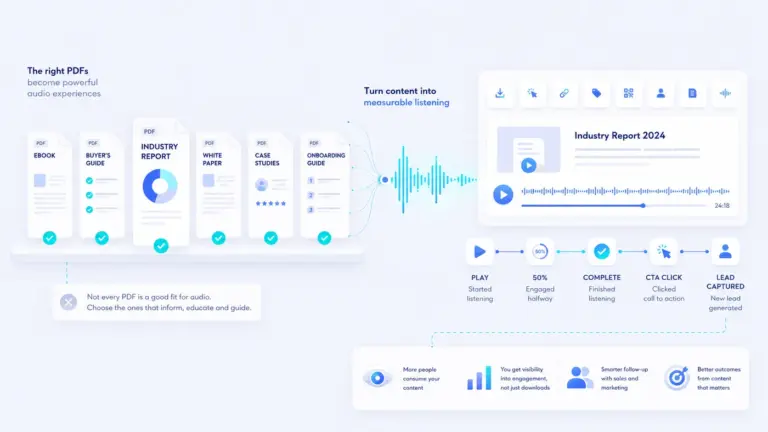
A PDF download looks like engagement.
But it is not the same thing.
Someone can download a PDF and never read it. They can skim the first page, miss the call to action, close the tab, forward it to nobody, and still show up in your analytics as a successful download.
That is the problem with treating PDF downloads as the end of the content journey.
To get a clearer picture, we ran PDF Autopsy on 100 public B2B PDFs. We wanted to understand how these documents perform as real buyer-facing content assets, not just as files.
For teams checking whether a PDF is usable before measuring engagement, our PDF accessibility checklist is a useful companion to the audit.
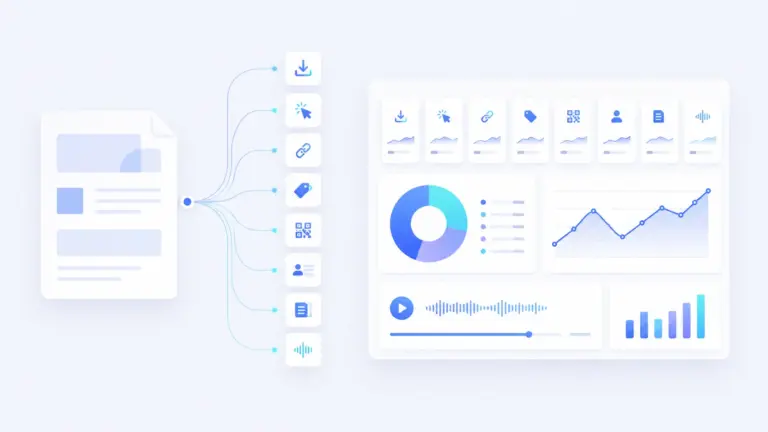
We looked at length, word count, estimated audio runtime if converted, links, CTA signals, tracking gaps, readability risks, and four practical scores:
- Technical quality
- Consumption quality
- Conversion strength
- Tracking strength
The short version?
Most of the PDFs were not technically broken. The bigger problem was commercial.
They were often long, hard to measure, and weak at telling the reader what to do next.
What we found after auditing 100 public B2B PDFs
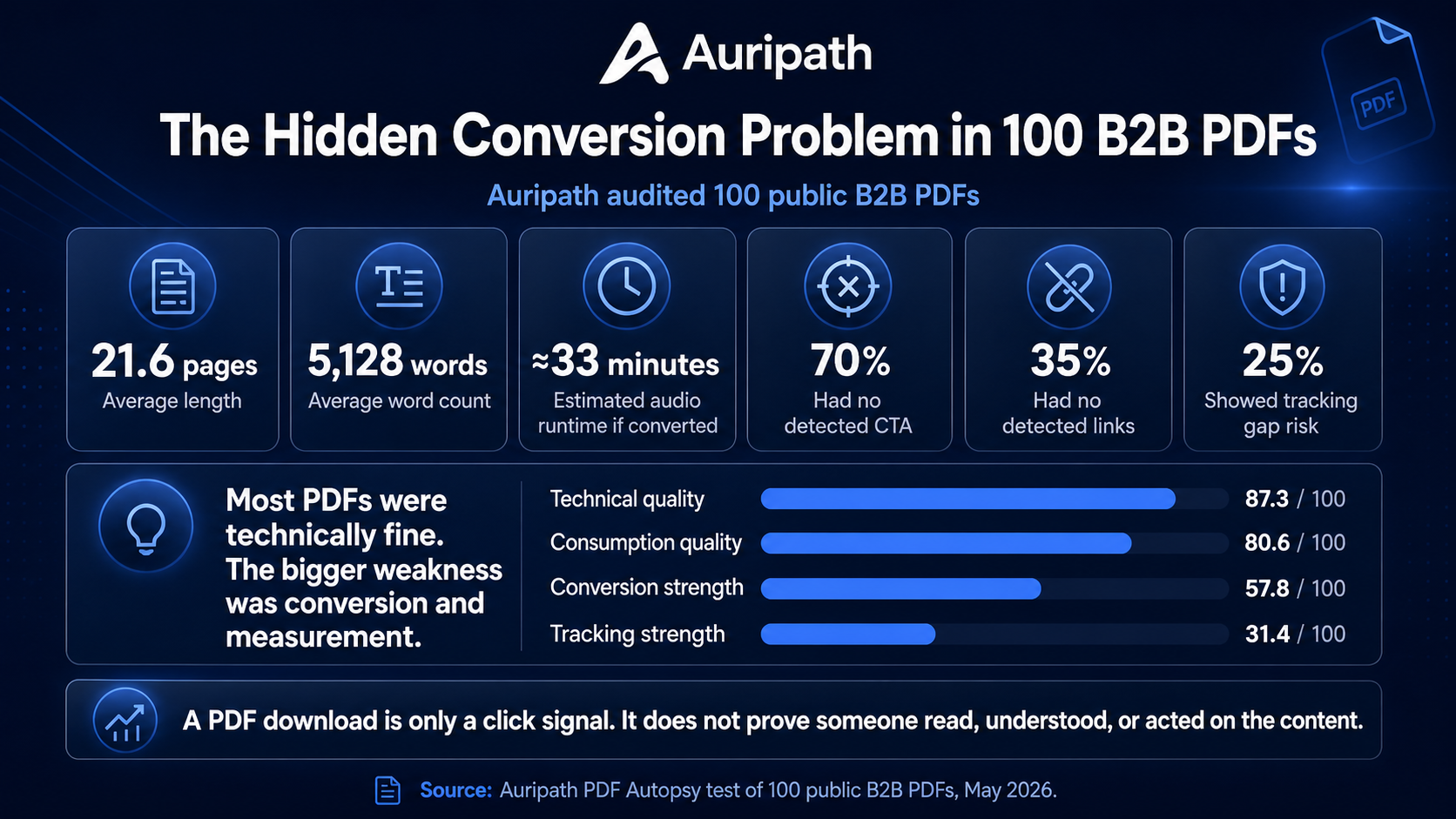
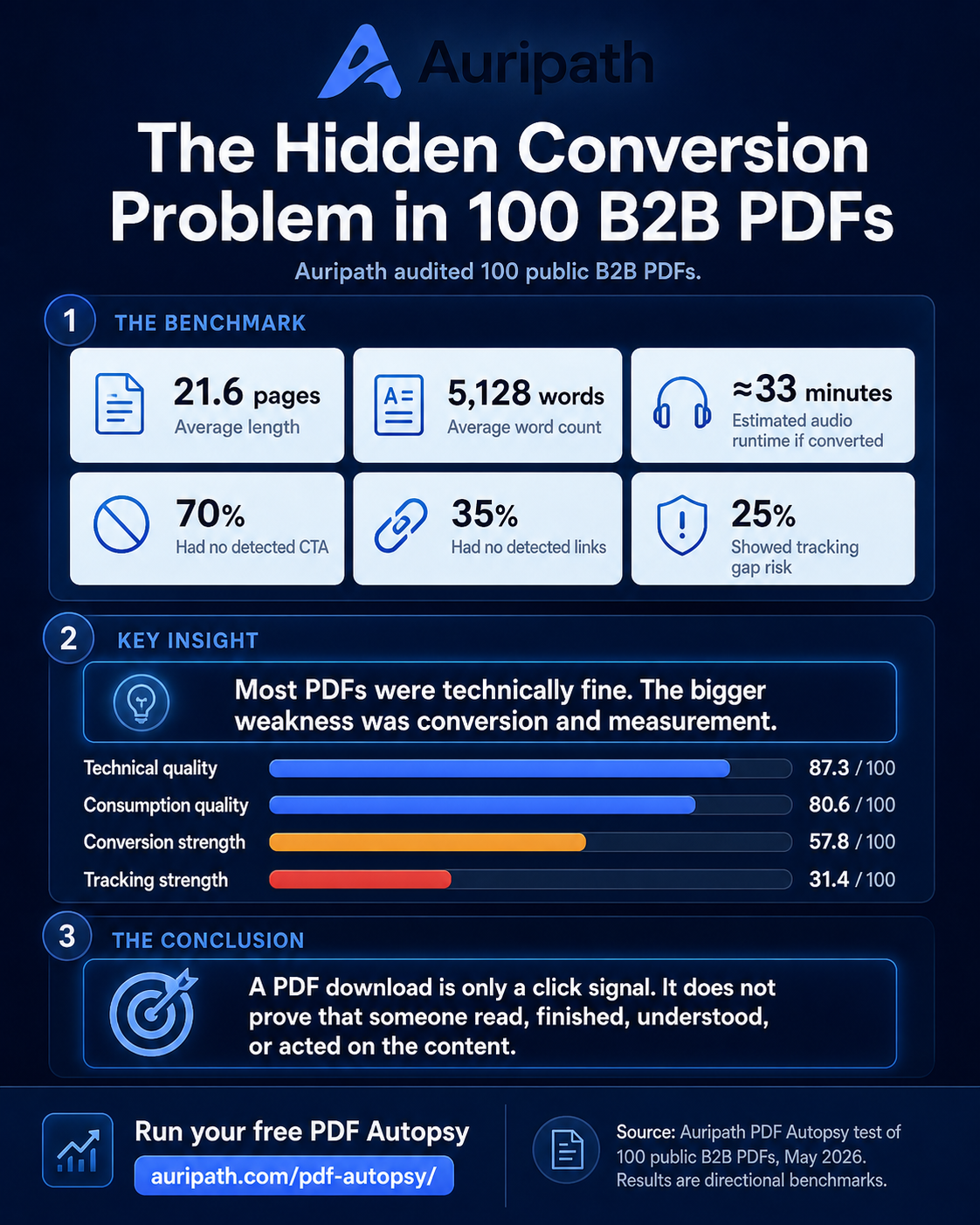
Here are the headline numbers from the 100 PDFs we successfully analyzed:
- Average length: 21.6 pages
- Average word count: 5,128 words
- Median word count: 2,311 words
- Estimated audio runtime if converted: 32.9 minutes on average
- Median estimated audio runtime if converted: 15 minutes
- 70% had no detected CTA
- 35% had no detected links
- 25% showed tracking gap risk
Those numbers matter because they show the gap between publishing a PDF and creating a measurable content journey.
How does your PDF compare?
Use Auripath benchmark data from 100 public B2B PDFs to compare your document and spot what to improve.
Source: Auripath PDF Autopsy test of 100 public B2B PDFs, May 2026.
Your PDF vs. the average
Your PDF is longer than average and has weaker conversion signals.
Key takeaways
What this means
Run your free PDF AutopsyA 20-page PDF might contain useful information. But if there is no clear next step, no trackable link, and no way to understand whether the person consumed the content, it is doing less work than it could.
The surprising part: most PDFs were technically fine
When people talk about PDF problems, they often focus on technical issues.
Is the text selectable? Is it readable? Is it scanned? Can the content be extracted? Does it look broken?
Those things matter, but they were not the biggest weakness in this test.
The average technical score was high:
- Average technical score: 87.3 out of 100
- Average consumption score: 80.6 out of 100
That tells us something important.
The typical B2B PDF is not failing because it is completely unreadable. It is failing because it is being treated as a finished file instead of a measurable buyer journey.
That is a different problem.
It means the fix is not just “make a nicer PDF”.
The fix is to ask better questions:
- Can someone understand the point quickly?
- Is there a clear next step?
- Can we measure what happens after the download?
- Would this be easier to consume in another format?
- Does the PDF help the buyer move forward?
The average B2B PDF is longer than many teams realise
The average PDF in our test was 21.6 pages and 5,128 words.
If converted into audio, the average document would run for about 33 minutes.
That does not mean every PDF should become a 33-minute audio file. It does mean many PDFs are asking for a bigger time commitment than marketers sometimes admit.
The median was lower: 13.5 pages, 2,311 words, and about 15 minutes of estimated audio runtime if converted.
That median matters because the average was pulled upward by some very long PDFs. But even the median tells a clear story.
A lot of B2B PDFs are not quick reads.
They are substantial content assets.
That creates a consumption problem.
Your buyer might be interested. They might even download the file. But if they are busy, distracted, or reading on a phone, they may never finish it.
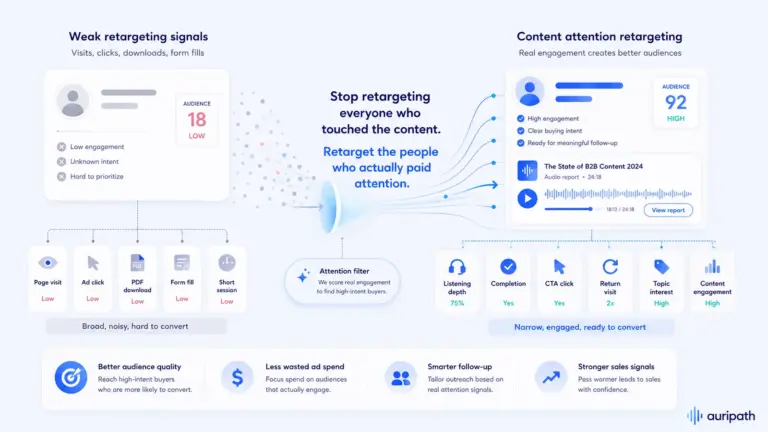
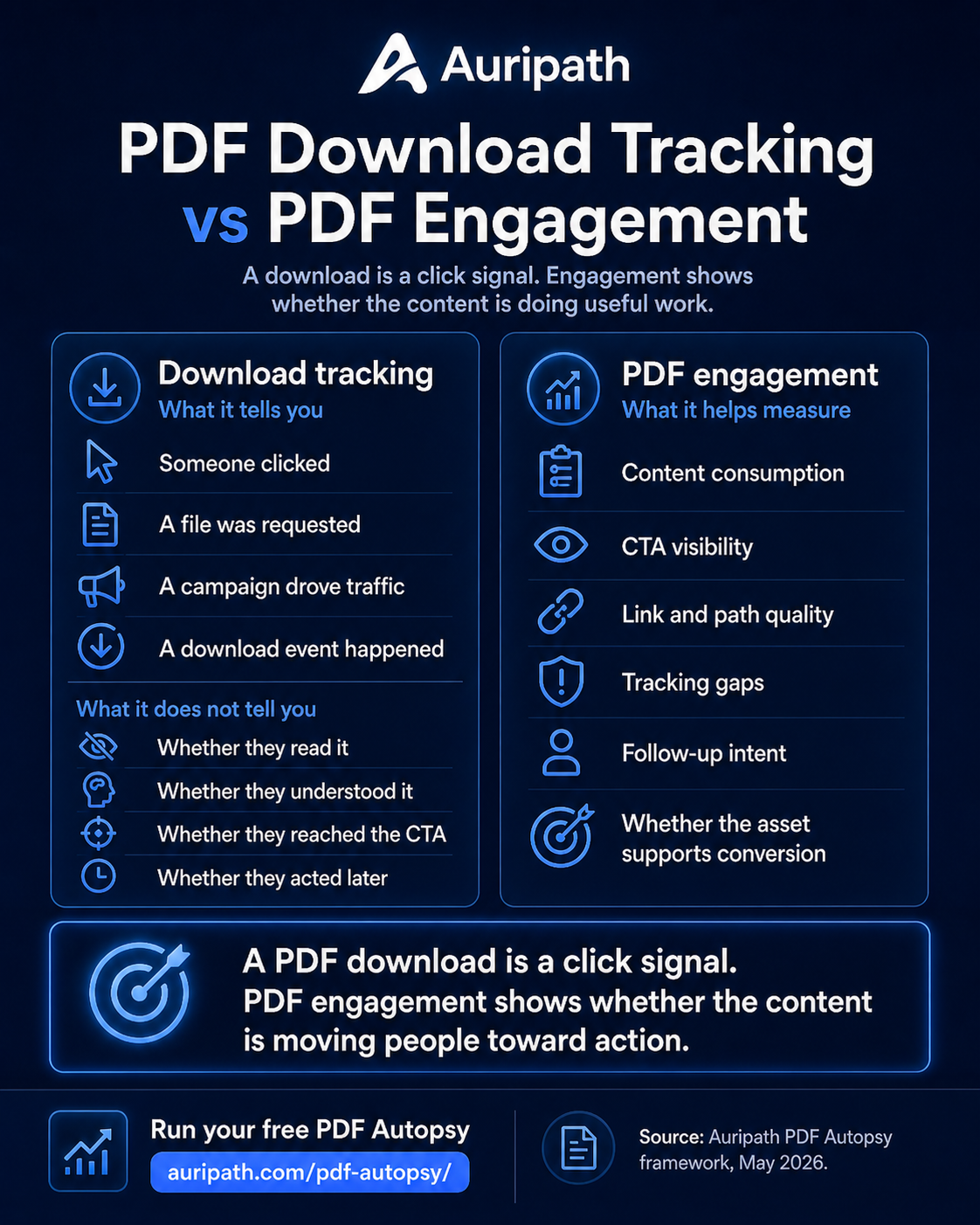
PDF download tracking does not prove engagement
Tracking a PDF download is useful. It tells you someone clicked.
But it does not tell you enough.
A download does not prove that someone:
- Opened the PDF
- Read the whole thing
- Understood the offer
- Clicked a CTA
- Shared it internally
- Came back later
- Became more qualified
This is where many teams overestimate PDF performance.
They see downloads and assume the content is working.
But the real question is not just:
How many people downloaded the PDF?
The better question is:
Did the PDF move anyone closer to taking action?
That is the difference between file tracking and engagement analytics.
For more on this problem, see our article on the content consumption gap.
The CTA problem: 70% had no detected CTA
This was the most commercially important finding.
In the 100 PDFs we analyzed, 70% had no detected CTA.
That does not always mean there was literally no possible next step anywhere in the document. Automated detection has limits. But it does suggest a very common problem: many PDFs do not make the next action obvious enough.
That is a big issue.
A B2B PDF usually exists for a reason. It might be there to educate, explain, compare, reassure, qualify, or persuade.
But if the reader reaches the end and does not know what to do next, the content is leaking intent.
Good CTAs do not need to be aggressive. They just need to be clear.
Examples:
- Book a consultation
- Request a quote
- Compare options
- Run an assessment
- Speak to an adviser
- View pricing
- Download the checklist
- Send this to your team
The point is not to turn every PDF into a sales pitch.
For important resources, the CTA can also connect to lead capture, so interested readers have a simple way to continue.
The point is to give the reader a useful next step when they are ready.
The tracking problem: 35% had no detected links
Another issue was measurement.
In our test, 35% of PDFs had no detected links.
That means a reader could consume the document and still have no easy clickable path back to the website, booking page, product page, pricing page, or next resource.
And 25% showed tracking gap risk.
This matters because a PDF often sits outside the normal website journey.
Once someone opens it, your analytics can become thin. You may know they downloaded the file, but not what happened next.
For B2B teams, that is a problem.
Because the most useful content is often the content that buyers use quietly:
- Buyers guides
- Product comparison sheets
- Reports
- Client resources
- Case studies
- Planning guides
- Onboarding documents
- Technical explainers
If those assets influence decisions, they deserve better measurement than a single download event.
Quick check: Do you know whether your most important PDF has a clear CTA, useful links, and measurable next steps?
Run a free PDF Autopsy to check its length, CTA signals, tracking gap risk, and estimated audio runtime if converted.
The weakest scores were conversion and tracking
The score pattern was clear.
- Average technical score: 87.3 out of 100
- Average consumption score: 80.6 out of 100
- Average conversion score: 57.8 out of 100
- Average tracking score: 31.4 out of 100
That is the whole story in four numbers.
The files were mostly usable.
The content was often consumable.
But the commercial layer was weaker.
That is where most teams should focus first.
Not redesigning every page. Not making the cover prettier. Not producing another version just because the old one looks tired.
Start with the conversion journey.
How to improve PDF engagement
If you publish PDF resources, you do not need to fix everything at once.
Start with the highest leverage improvements.
1. Add a clear next step
Every important PDF should have a next step.
Not necessarily on every page. Not necessarily as a hard sell. But it should be obvious what the reader can do when they want to continue.
Good questions to ask:
- What should the reader do after finishing this?
- What is the most useful next page on the website?
- Should this point to pricing, a demo, a contact page, or another guide?
- Is the CTA visible before the final page?
2. Add links that support the buyer journey
If the PDF has no links, the reader has to do extra work.
That is unnecessary friction.
Add useful links to:
- Relevant service pages
- Related guides
- Booking pages
- Pricing pages
- Contact pages
- Comparison pages
- Case studies
Useful links turn the PDF from a dead-end file into part of the website journey.
3. Make key links measurable
If a PDF is important, its links should be measurable.
That could mean using UTM parameters, dedicated landing pages, or a tool that tracks engagement around the content experience.
The goal is simple: understand whether the PDF helps people take the next step.
4. Create a shorter summary version
Long PDFs are not automatically bad.
Some topics need depth.
But a long document often benefits from a shorter companion version:
- A one-page summary
- A checklist
- An executive summary
- A short audio overview
- A chaptered version
This helps busy buyers get the point quickly before deciding whether to go deeper.
5. Offer an audio version for longer resources
If a PDF would take 15, 30, or 45 minutes as audio, that is a signal.
You can also model the commercial side with the Audio vs PDF funnel calculator.
It means the content is substantial enough that some people may prefer to listen instead of read.
An audio version of a PDF does not replace the original document. It gives the same resource another route into the buyer’s day.
Someone might listen while commuting, walking, cooking, traveling, or catching up between tasks.
For long B2B resources, that can make the content easier to finish, especially when the audio is available through an embedded audio player on the website.
What this means for marketers
The lesson from this audit is not “stop using PDFs”.
PDFs are still useful.
They are familiar, portable, easy to share, and good for structured information.
The problem is that many teams treat the PDF as the final step.
They publish it, gate it, email it, or link to it, then measure the download.
But the buyer journey does not end at the download.
That is where it often begins.
If someone downloads a buyers guide, reads a report, or opens a client resource, they are showing interest. But unless the asset gives them a clear path forward and gives you a way to measure engagement, much of that intent disappears.
What to check in your own PDF
If you want a quick manual audit, open one of your most important PDFs and ask these questions:
- How many pages is it?
- How many words does it contain?
- Would it take 15 minutes or more as audio?
- Is the text selectable?
- Does it have a clear CTA?
- Are there links inside the document?
- Do those links point to useful next steps?
- Can you track those links?
- Would a busy buyer understand the main point quickly?
- Would an audio version make it easier to consume?
If the answer is unclear, the PDF is probably underperforming.
Run your own PDF Autopsy
The easiest way to check is to run your own PDF through PDF Autopsy.
It gives you a practical report covering:
- Length
- Word count
- Estimated audio runtime if converted
- CTA signals
- Link signals
- Tracking gap risk
- Technical quality
- Consumption quality
- Conversion strength
- Tracking strength
You can use it to spot the obvious issues before rewriting, redesigning, or republishing the document.
Method note: this article is based on an Auripath PDF Autopsy test of 100 public B2B PDFs in May 2026. Results should be treated as a directional benchmark, not a universal claim about every PDF online. For the newer aggregate version built from PDF Autopsy scan data, see the PDF Benchmark Report.

Get the free audio ebook for better B2B follow-up.
Learn how to turn PDF downloads, listening behavior, and CTA clicks into stronger sales conversations.