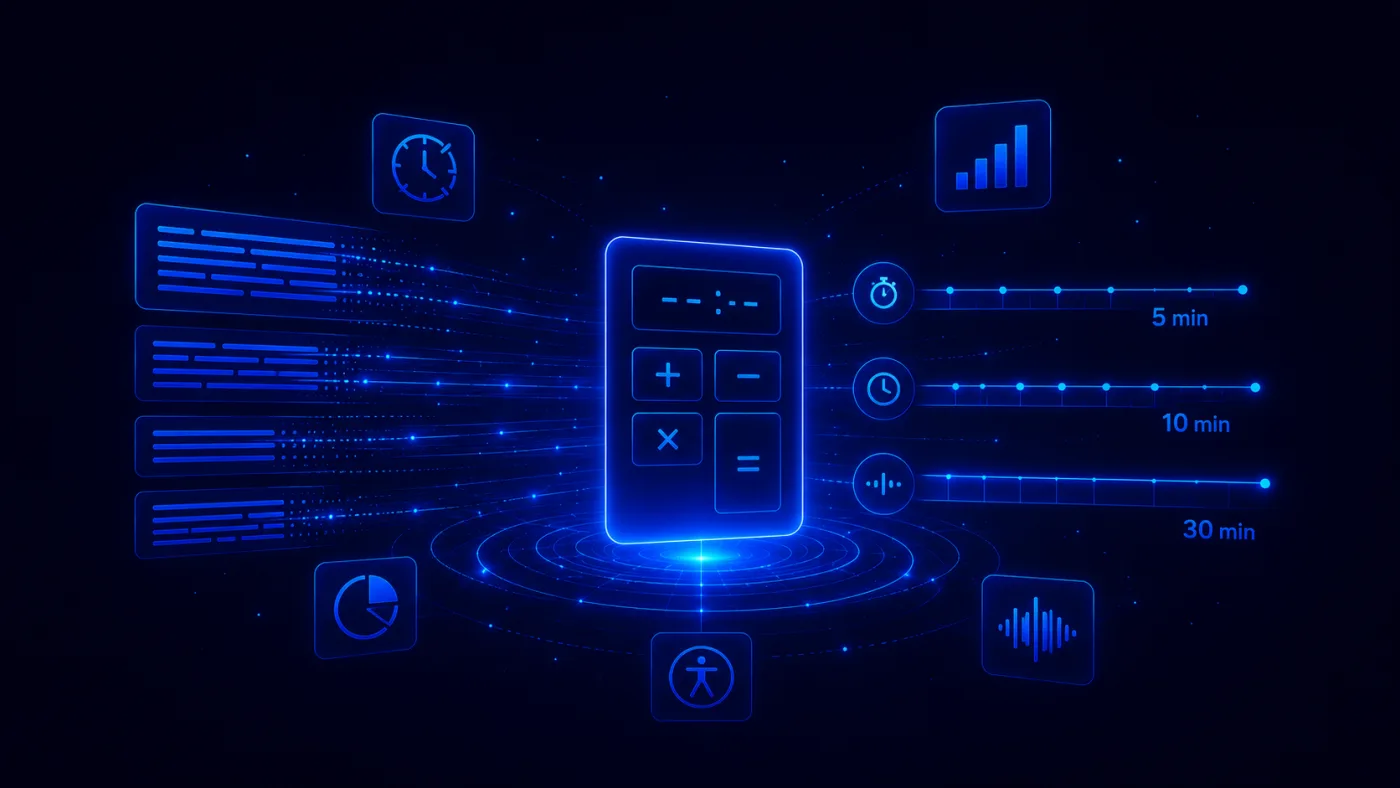
Want to know how long your text will take as spoken audio? Use the calculator below to estimate the audio length of a PDF, guide, report, script, article, training document, or sales resource.
The simple formula is:
Audio length in minutes = word count ÷ speaking speed
So if your document has 1,000 words and you use a standard text to speech speed of 150 words per minute, the finished audio will be about 6 minutes and 40 seconds.
But here is the part most people miss: PDFs, reports, guides, tables, headings, captions, and calls to action can all change the final audio length. A raw word count gives you a useful estimate. A well-prepared audio version gives your audience a much better listening experience.
Your content
1. Choose your target length
Content type
Speaking speed
Advanced options
Result
This length works well as a single audio file. Add clear section breaks and one CTA at the end.
Quick speed comparison
Auripath helps turn PDFs, guides and reports into listenable website content.
Estimates are based on average pacing. Actual audio length can vary by voice, content structure, pronunciation, pauses and editing choices.
How the Text to Speech Time Calculator Works
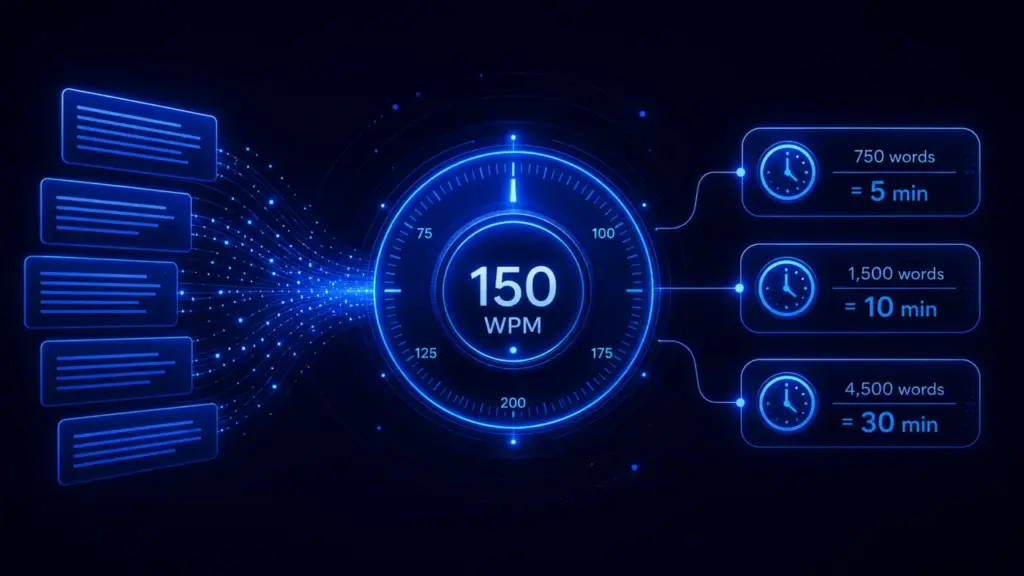
The calculation is simple:
- Count the words in your text, PDF, script, guide, or report.
- Choose a speaking speed, usually measured in words per minute, or WPM.
- Divide the word count by the speaking speed to estimate the audio length.
For example:
- 750 words at 150 WPM = about 5 minutes
- 1,500 words at 150 WPM = about 10 minutes
- 4,500 words at 150 WPM = about 30 minutes
This works well for a quick estimate. But if you are turning a PDF, business guide, report, white paper, training document, or downloadable resource into audio, you should also allow for pauses, section breaks, introductions, summaries, and calls to action.
Quick Answer: How Long Does Text to Speech Take?
At a standard narration speed of 150 words per minute, text to speech usually takes:
| Word count | Estimated audio length at 150 WPM |
|---|---|
| 250 words | 1 minute 40 seconds |
| 500 words | 3 minutes 20 seconds |
| 750 words | 5 minutes |
| 1,000 words | 6 minutes 40 seconds |
| 1,500 words | 10 minutes |
| 2,000 words | 13 minutes 20 seconds |
| 5,000 words | 33 minutes 20 seconds |
| 10,000 words | 1 hour 6 minutes 40 seconds |
| 20,000 words | 2 hours 13 minutes 20 seconds |
Use 150 WPM as a planning baseline. It is fast enough to avoid dragging, but slow enough for most listeners to follow comfortably.
Choose the Right Speaking Speed
Not every audio project should use the same speed. A short product explainer can move faster than a technical training document. A legal report may need more breathing room than a casual blog post.
| Speed | Best for | Notes |
|---|---|---|
| 120 WPM | Complex, technical, or accessibility-focused narration | Clear and deliberate. Good when accuracy matters more than speed. |
| 150 WPM | Standard narration, guides, PDFs, reports, and scripts | The safest default for most text to speech estimates. |
| 180 WPM | Short explainers, quick updates, social content, fast summaries | Useful when the content is simple and the listener already understands the topic. |
| 200 WPM | Skimming, internal updates, fast review | Can feel too fast for detailed or unfamiliar content. |
| 250 WPM | Experienced listeners, fast review, screen reader users | Not ideal for general marketing audio. |
| 300 WPM | Advanced screen reader use | WebAIM notes that experienced screen reader users may listen at 300 WPM or more. |
Important: faster is not always better. If your goal is comprehension, persuasion, accessibility, or trust, use a slower pace. If your goal is fast review, use a faster pace.
Text to Speech Time by Word Count
Here is a more complete table you can use before the calculator is available.
| Words | 120 WPM | 150 WPM | 180 WPM | 200 WPM | 250 WPM | 300 WPM |
|---|---|---|---|---|---|---|
| 250 | 2:05 | 1:40 | 1:23 | 1:15 | 1:00 | 0:50 |
| 500 | 4:10 | 3:20 | 2:47 | 2:30 | 2:00 | 1:40 |
| 750 | 6:15 | 5:00 | 4:10 | 3:45 | 3:00 | 2:30 |
| 1,000 | 8:20 | 6:40 | 5:33 | 5:00 | 4:00 | 3:20 |
| 1,500 | 12:30 | 10:00 | 8:20 | 7:30 | 6:00 | 5:00 |
| 2,000 | 16:40 | 13:20 | 11:07 | 10:00 | 8:00 | 6:40 |
| 5,000 | 41:40 | 33:20 | 27:47 | 25:00 | 20:00 | 16:40 |
| 10,000 | 1:23:20 | 1:06:40 | 55:33 | 50:00 | 40:00 | 33:20 |
| 20,000 | 2:46:40 | 2:13:20 | 1:51:07 | 1:40:00 | 1:20:00 | 1:06:40 |
How Many Words Do You Need for a Certain Audio Length?
Sometimes you are not starting with a document. You are planning a script, intro, training module, webinar section, product demo, or narrated resource.
In that case, work backwards:
Target minutes × speaking speed = target word count
Tip: Use the calculator above and switch to the Target length to word count tab if you want to plan a script around a specific audio length.
| Target audio length | 130 WPM | 150 WPM | 170 WPM |
|---|---|---|---|
| 1 minute | 130 words | 150 words | 170 words |
| 3 minutes | 390 words | 450 words | 510 words |
| 5 minutes | 650 words | 750 words | 850 words |
| 10 minutes | 1,300 words | 1,500 words | 1,700 words |
| 15 minutes | 1,950 words | 2,250 words | 2,550 words |
| 30 minutes | 3,900 words | 4,500 words | 5,100 words |
| 60 minutes | 7,800 words | 9,000 words | 10,200 words |
Why Your Finished Audio May Be Longer Than the Estimate
A calculator gives you a good baseline. It does not always predict the exact final runtime.
Why?
Because real audio includes more than words.
| Factor | Effect on audio length |
|---|---|
| Section pauses | Adds time |
| Intro and outro | Adds time |
| Call to action | Adds time |
| Natural pacing | Usually adds time |
| Removing headers and footers | Reduces time |
| Summarising tables | Reduces time |
| Faster playback | Reduces time |
Rule of thumb: if you are creating polished audio from a PDF or report, add a small buffer for pauses, transitions, and listener-friendly formatting.
Why PDFs Need Extra Care Before Text to Speech
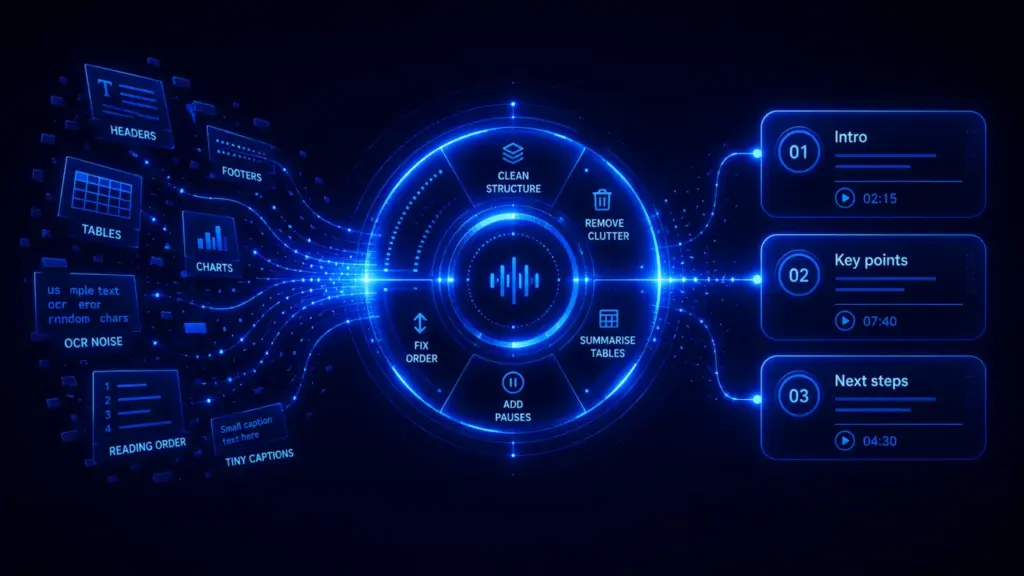
A plain article is easy to estimate. A PDF is not always that simple.
PDFs often include:
- Page numbers
- Headers and footers
- Multi-column layouts
- Tables
- Charts
- Captions
- Footnotes
- Legal disclaimers
- Repeated contact information
- Decorative text
That matters because text to speech systems do not just need words. They need the right words in the right order.
The W3C Web Accessibility Initiative recommends using semantic structure such as headings, paragraphs, lists, forms, and tables, plus text alternatives for images and icons. That is not just good accessibility advice. It is also good audio advice.
If your PDF is poorly structured, the audio can sound confusing. It might read the footer halfway through a sentence. It might read a table cell by cell. It might skip a chart entirely. Or it might read content in the wrong order.
How to Prepare a PDF for Better Audio
Before turning a PDF into audio, clean it up. You do not need to make it perfect, but you do need to make it listenable.
1. Remove repeated headers and footers
Headers, footers, page numbers, copyright lines, and repeated website URLs are fine on a page. They are annoying in audio.
Bad audio: “Page 7. Auripath quarterly report. Confidential. Section two continues…”
Better audio: “Section two explains how audio versions improve document engagement.”
2. Check the reading order
Multi-column PDFs can be a problem. The visual layout may look fine, but the extracted text may jump from the left column to a sidebar, then back to the main content.
Always check a sample before creating the full audio.
3. Rewrite tables as spoken summaries
Tables are useful on a page. They are often painful in audio.
Instead of reading every cell, write a short summary:
Example: “The table shows that conversion rates increased from 2.4% in January to 4.1% in April, with the strongest improvement after the new email sequence launched.”
The W3C PDF techniques include guidance around headings, lists, tables, and document structure. If your PDF needs to work well for accessibility and audio, structure matters.
4. Add useful image and chart descriptions
Text to speech cannot automatically explain every visual element in a meaningful way.
If your PDF includes a chart, diagram, or image that matters, add a short spoken description.
Weak: “Image.”
Better: “Chart showing that most users drop off after page three, while audio listeners continue for longer.”
5. Run OCR on scanned PDFs
If your PDF is scanned, it may be an image rather than real text. In that case, text to speech tools cannot read it properly until the text is extracted.
OCR, or optical character recognition, turns scanned pages into selectable text. Without OCR, your audio may be incomplete or unusable.
6. Shorten long sentences
Long sentences are harder to follow in audio than on a page. If a sentence needs rereading, it probably needs rewriting.
Use shorter sentences. Add punctuation. Break up dense sections. Your listener cannot skim backwards as easily as a reader can.
7. Add section breaks
Audio works better when the listener can feel the structure.
Add short transitions such as:
- “Next, let’s look at the numbers.”
- “Here is the main takeaway.”
- “Now let’s move from planning to implementation.”
- “To recap this section…”
These small additions may add a few seconds, but they make the audio much easier to follow.
The Best Speaking Speed for Different Types of Content
There is no single best text to speech speed. The best speed depends on the content and the listener.
| Content type | Recommended speed | Why |
|---|---|---|
| Business guide | 140 to 160 WPM | Clear, professional, and easy to follow. |
| PDF report | 130 to 150 WPM | Reports are usually denser and need more processing time. |
| Training content | 120 to 150 WPM | Learners need time to absorb instructions. |
| Sales resource | 140 to 160 WPM | Natural and persuasive without feeling rushed. |
| Short product explainer | 150 to 180 WPM | Short content can move faster. |
| Accessibility-focused audio | 120 to 150 WPM | Clarity matters more than speed for general audiences. |
| Experienced screen reader use | 250 to 300+ WPM | Some experienced users listen much faster than standard narration. |
For most branded audio versions of PDFs, guides, and reports, start with 150 WPM. Then slow down if the content is complex.
Text to Speech Time for Common Word Counts
How long does it take to say 500 words?
At 150 WPM, 500 words takes about 3 minutes and 20 seconds. At 120 WPM, it takes about 4 minutes and 10 seconds. At 180 WPM, it takes about 2 minutes and 47 seconds.
How long does it take to say 700 words?
At 150 WPM, 700 words takes about 4 minutes and 40 seconds. This is close to a short presentation, explainer script, or concise audio summary.
How long does it take to say 1,000 words?
At 150 WPM, 1,000 words takes about 6 minutes and 40 seconds. At 120 WPM, it takes about 8 minutes and 20 seconds. At 180 WPM, it takes about 5 minutes and 33 seconds.
How long does it take to say 1,200 words?
At 150 WPM, 1,200 words takes about 8 minutes. This is a useful length for a short guide, training section, or audio version of a blog post.
How long does it take to say 1,500 words?
At 150 WPM, 1,500 words takes about 10 minutes. This is a good length for a focused educational audio resource.
How long does it take to say 2,000 words?
At 150 WPM, 2,000 words takes about 13 minutes and 20 seconds. For business audio, this is long enough to explain a topic in depth without becoming a full audiobook.
How long does it take to say 5,000 words?
At 150 WPM, 5,000 words takes about 33 minutes and 20 seconds. This is a common length for a detailed PDF guide or report.
How to Make Text to Speech Sound More Natural
Most people focus on the voice. That matters, but the script matters just as much.
Bad input creates bad audio. Even the best AI voice will struggle with cluttered text, broken formatting, awkward sentences, and unedited PDF content.
Use this checklist before you generate audio:
- Remove page furniture: headers, footers, page numbers, repeated URLs.
- Fix the reading order: especially in multi-column PDFs.
- Rewrite tables: use spoken summaries instead of cell-by-cell reading.
- Add chart descriptions: explain the point, not just the visual.
- Shorten long sentences: make the text easier to hear once.
- Spell out acronyms: at least the first time they appear.
- Add section transitions: help listeners understand where they are.
- Keep the CTA clear: tell listeners what to do next.
Where a Calculator Helps Most
A text to speech time calculator is useful when you need to plan before creating the audio.
Use it for:
- PDF audio planning: estimate the runtime before converting a report or guide.
- Script writing: write to a target length, such as 5, 10, or 30 minutes.
- Training content: plan lesson length and learner workload.
- Sales resources: estimate whether a prospect will listen for 3 minutes or 30 minutes.
- Accessibility planning: understand how long alternative audio content may take.
- Podcast-style resources: turn articles, reports, and guides into listenable episodes.
PDF to Audio: The Real Opportunity
Most PDFs are static. Someone downloads them, skims a few pages, and forgets about them.
Audio changes that.
When you turn a useful PDF, guide, or report into audio, you give people another way to consume it. They can listen while walking, commuting, working, or reviewing material away from their desk.
That is especially useful for:
- B2B reports
- Research summaries
- Buyer guides
- Training documents
- Product explainers
- Policy updates
- Client education resources
- Webinar follow-up material
But do not just dump a PDF into a text to speech tool and hope for the best.
The better approach is to turn the document into an audio-first version. That means cleaning the text, improving the structure, adding spoken transitions, and making the listener experience feel intentional.
That is what Auripath is built for: turning useful PDFs and business content into branded audio experiences with embedded playback, capture, and engagement analytics.
Accessibility: Why Structure Matters
Text to speech is often discussed as a convenience feature. But it is also an accessibility issue.
The W3C Web Accessibility Initiative explains that text to speech and assistive technology work better when content uses proper structure, clear labels, keyboard compatibility, and useful text alternatives.
WebAIM also explains that screen reader users experience content differently from sighted users. Experienced users may move through content very quickly, but they still rely on good headings, structure, labels, and logical order.
That means your audio strategy should not just ask, “How many minutes will this be?”
It should also ask:
- Is the content in the right order?
- Are the headings clear?
- Are tables understandable?
- Are images and charts explained?
- Can someone understand the content without seeing the original layout?
If the answer is no, fix the content before creating the final audio.
Text to Speech Time Formula
Here is the formula again:
Minutes = words ÷ words per minute
To convert the decimal into seconds, multiply the decimal part by 60.
Example:
- 1,000 words ÷ 150 WPM = 6.66 minutes
- 0.66 × 60 = 40 seconds
- Estimated audio length = 6 minutes 40 seconds
This is the same logic a calculator uses. The real difference is that a calculator does the formatting instantly and lets you compare multiple speeds.
Common Mistakes When Estimating Audio Length
Mistake 1: Using reading speed instead of speaking speed
Silent reading speed is usually faster than spoken narration. Do not estimate audio length from silent reading speed.
Mistake 2: Ignoring pauses
Real audio needs breathing room. A polished audio version should not sound like one long sentence.
Mistake 3: Leaving PDF clutter in the script
Headers, footers, page numbers, and legal boilerplate can make audio sound robotic and frustrating.
Mistake 4: Reading tables exactly as written
A table may work on a page, but it may be terrible in audio. Summarise the insight instead.
Mistake 5: Choosing the fastest speed
Fast audio is not always better audio. If people cannot follow it, they will stop listening.
Practical Examples
Example 1: A 12-page PDF guide
Imagine your PDF guide has 4,000 words.
- At 120 WPM: about 33 minutes 20 seconds
- At 150 WPM: about 26 minutes 40 seconds
- At 180 WPM: about 22 minutes 13 seconds
If it includes tables, page furniture, and repeated CTAs, you may shorten the script before generating audio. If you add a proper intro, section transitions, and summary, you may add some time back.
Example 2: A short sales resource
A 900-word sales resource at 150 WPM will take about 6 minutes.
That is a strong length for a prospect-facing audio version. It is long enough to be useful, but short enough to feel manageable.
Example 3: A detailed research report
A 10,000-word report at 150 WPM takes about 1 hour and 6 minutes.
That may be too long for a single audio file. A better approach is to split it into sections:
- Executive summary
- Key findings
- Methodology
- Main analysis
- Recommendations
That gives listeners control. They can listen to the parts they care about most.
Should You Turn the Full PDF Into Audio?
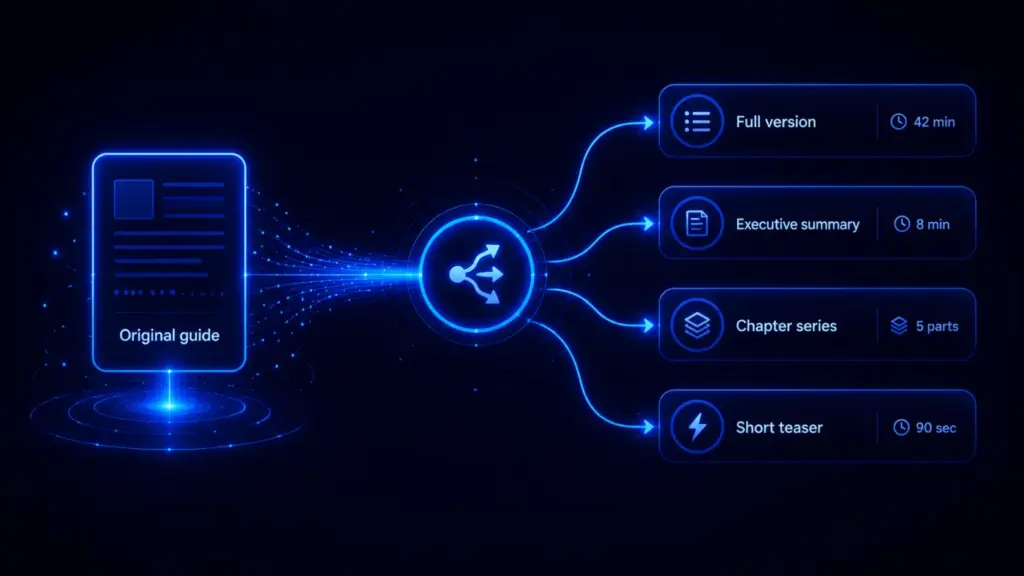
Not always.
Sometimes the full PDF should become audio. Sometimes only the most useful parts should.
Ask yourself:
- Does the listener need the whole document?
- Would a summary be more useful?
- Are there tables or appendices that should be skipped?
- Is the PDF designed for reading, or could it be adapted for listening?
- What action should the listener take after finishing?
The goal is not to create the longest audio file possible. The goal is to create the most useful listening experience.
Recommended Workflow for PDF to Audio
- Estimate the runtime using the calculator.
- Clean the PDF text by removing page clutter and repeated content.
- Check the reading order so sections flow logically.
- Rewrite difficult parts such as tables, charts, and footnotes.
- Select the speaking speed based on the audience and content type.
- Generate a short test sample before creating the full audio.
- Listen for errors in pronunciation, pacing, and structure.
- Publish the audio with a clear player, transcript, and next step.
If you want to check whether your PDF has accessibility issues before turning it into audio, you can also use PDF Autopsy or review your document against guidance from W3C PDF techniques.
Frequently asked questions
How long does text to speech take?
Text to speech time depends on the word count and speaking speed. At 150 WPM, 1,000 words takes about 6 minutes and 40 seconds.
What is a good words-per-minute speed for text to speech?
For most guides, PDFs, reports, and scripts, 140 to 160 WPM is a good range. Use slower speeds for technical or complex content.
Is 150 WPM a good text to speech speed?
Yes. 150 WPM is a strong default for standard narration. It is clear, natural, and easy for most listeners to follow.
How many words is a 5-minute text to speech audio?
At 150 WPM, a 5-minute audio script is about 750 words. At 120 WPM, it is about 600 words. At 180 WPM, it is about 900 words.
How many words is a 10-minute text to speech audio?
At 150 WPM, a 10-minute audio script is about 1,500 words.
How long is 1,000 words in text to speech?
At 150 WPM, 1,000 words is about 6 minutes and 40 seconds. At 120 WPM, it is about 8 minutes and 20 seconds. At 180 WPM, it is about 5 minutes and 33 seconds.
How long is 1,500 words in text to speech?
At 150 WPM, 1,500 words is about 10 minutes.
How long is a 5,000-word PDF as audio?
At 150 WPM, a 5,000-word PDF is about 33 minutes and 20 seconds. The final version may be shorter if you remove boilerplate, or longer if you add pauses, transitions, and explanations.
Can text to speech read a PDF?
Yes, but the quality depends on the PDF. A clean, tagged, text-based PDF usually works better than a scanned or poorly structured PDF. Scanned PDFs may need OCR first.
Why does my PDF audio sound wrong?
The PDF may have poor reading order, repeated headers, broken columns, untagged tables, missing alt text, or scanned pages. Clean the content before generating the final audio.
Should I convert the entire PDF to audio?
Sometimes, yes. But if the PDF includes long appendices, dense tables, or repeated legal content, a cleaned and edited version may be better for listeners.
Final Takeaway
A text to speech time calculator helps you answer a simple question:
How long will this text take as audio?
But the better question is:
How useful will this audio be for the listener?
If you are converting a plain script, the calculation is simple. If you are converting a PDF, guide, report, or business resource, take the time to clean the structure, remove clutter, rewrite tables, and choose the right speaking speed.
That is how you create audio people actually want to finish.
Useful Sources

Get the free audio ebook for better B2B follow-up.
Learn how to turn PDF downloads, listening behavior, and CTA clicks into stronger sales conversations.