PDF analytics sounds simple until you try to measure it properly.
You might know how many people clicked a download button on your website. But do you know whether they opened the file? Read it? Clicked a call to action inside it? Shared it with someone else? Came back later from a link in the PDF?
That is where PDF analytics gets messy.
A normal downloaded PDF is not like a web page. Once someone has the file, your analytics setup usually cannot see what they do with it unless the PDF is viewed in a controlled viewer, routed through tracked links, or converted into a more measurable content experience.
This guide explains the main ways to track PDF analytics, including GA4 download tracking, Google Tag Manager events, UTM links, QR codes, document tracking tools, embedded PDF viewers, server logs, CRM tracking, and audio analytics.
If you are looking for Auripath’s product-side listening analytics rather than general tracking methods, see our audio analytics page or the broader product overview.
window.ap = window.ap || function () { (ap.q = (ap.q || [])).push(arguments); }; ap(‘render’, { docId: “doc_d58Hill42YQxAp5KLTSiiA”, baseUrl: ‘https://app.auripath.com’, selector: ‘#auripath-player-doc_d58Hill42YQxAp5KLTSiiA’ });What is PDF analytics?
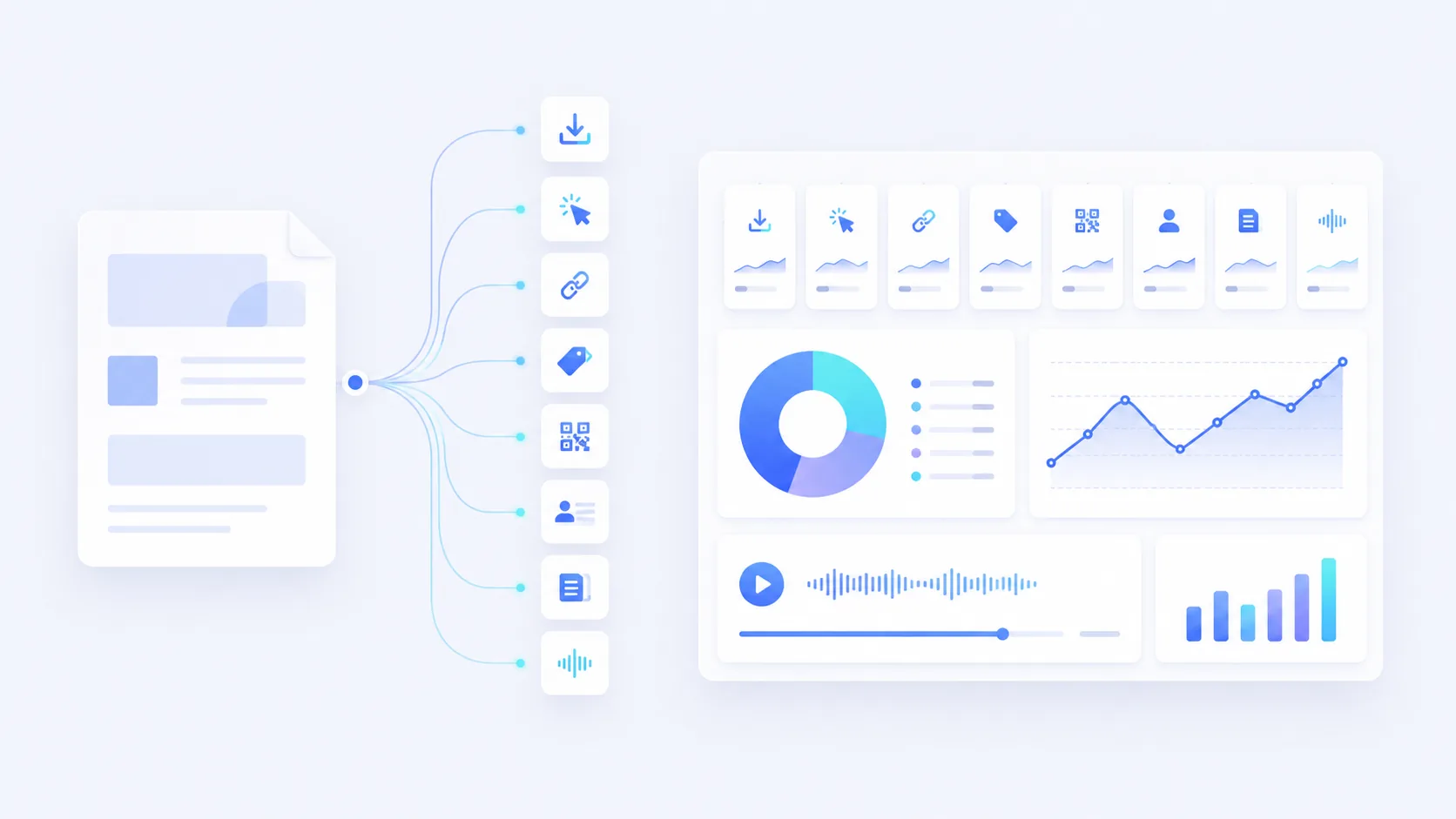
PDF analytics is the practice of measuring how people find, download, open, view, click, share, or consume PDF content.
But there is an important distinction. Different PDF analytics methods measure different parts of the journey.
- PDF download analytics tells you when someone clicked a PDF link.
- PDF link analytics tells you when someone clicked a link inside the PDF.
- PDF viewing analytics tells you what someone did inside a hosted or embedded PDF viewer.
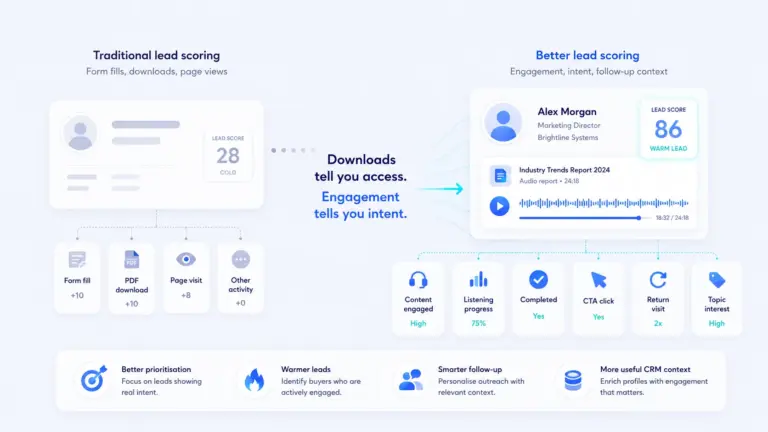
- PDF lead analytics connects a PDF request to a known person in your CRM.
- PDF content engagement analytics tries to answer whether someone actually consumed the content.
Most teams only have the first one. They know a PDF was downloaded. That is useful, but incomplete.
Why PDF analytics is harder than web page analytics
Web pages are easier to track because the browser loads scripts, cookies, pixels, and events as the user interacts with the page.
A downloaded PDF does not work the same way.
Someone can open it in Chrome, Preview, Adobe Acrobat, Apple Books, Gmail, Outlook, Dropbox, Google Drive, Slack, or offline on their laptop. In many of those cases, your website analytics cannot see what happens next.
That means you need to decide which layer you are trying to track:
- The website click before the PDF opens.
- The PDF file request on your server.
- The links and QR codes inside the PDF.
- The PDF viewing experience inside a controlled reader.
- The lead or contact who requested the PDF.
- The content consumption journey through another format, such as audio.
There is no single perfect method. The right setup depends on what you need to know.
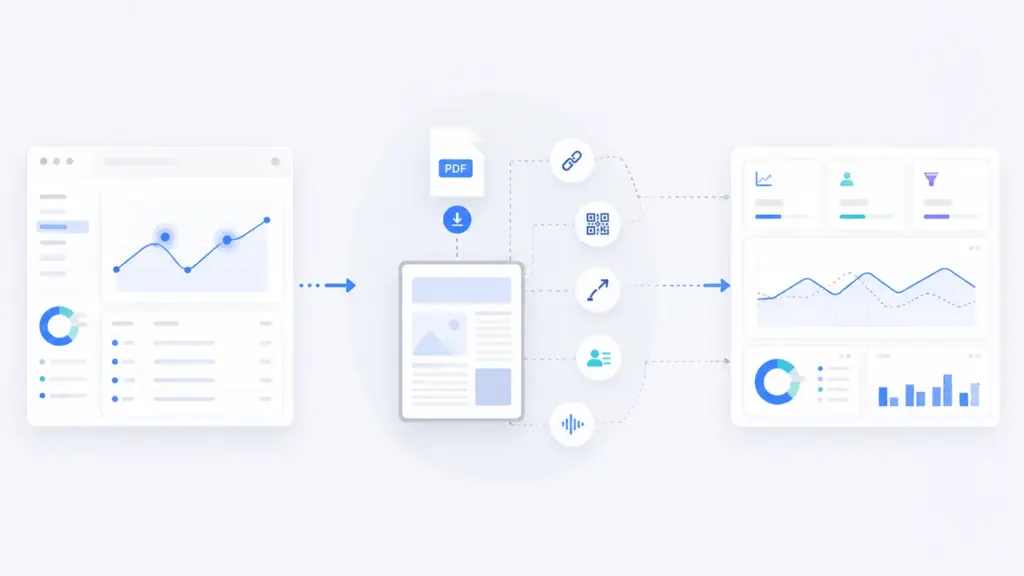
PDF analytics methods compared
| Method | What it tracks | Best for | Main limitation |
|---|---|---|---|
| GA4 file download tracking | PDF download clicks from your website | Basic download reporting | Does not track reading inside the PDF |
| Google Tag Manager events | Custom PDF click events | More controlled GA4 tracking | Still only tracks the click |
| UTM links inside PDFs | Traffic from PDF links back to your website | Tracking PDF-driven visits and conversions | Only works when users click links |
| Redirect links or short links | Clicks on specific PDF CTAs | Editable campaign links and cleaner reporting | Adds another link layer |
| QR code analytics | Scans from print or digital PDFs | Brochures, events, sales handouts | Tracks scans, not reading |
| Specialist document tracking tools | Views, readers, page engagement, forwarding | Sales decks, proposals, investor docs | Usually requires hosted viewing |
| Flipbook platforms | Views, page turns, clicks, time spent | Reports, magazines, brochures | Turns the PDF into a hosted publication |
| Embedded PDF viewers | Page views, searches, downloads, print events | PDFs viewed on your site | Only works inside that viewer |
| Server or CDN logs | Raw PDF file requests | Technical download analysis | Harder to connect to marketing journeys |
| Gated download and CRM tracking | Who requested the PDF | B2B lead capture and follow-up | Does not prove they read it |
| Audio version analytics | Plays, listens, completion, drop-off, CTA clicks | Measuring content consumption | Tracks the audio experience, not the raw PDF |
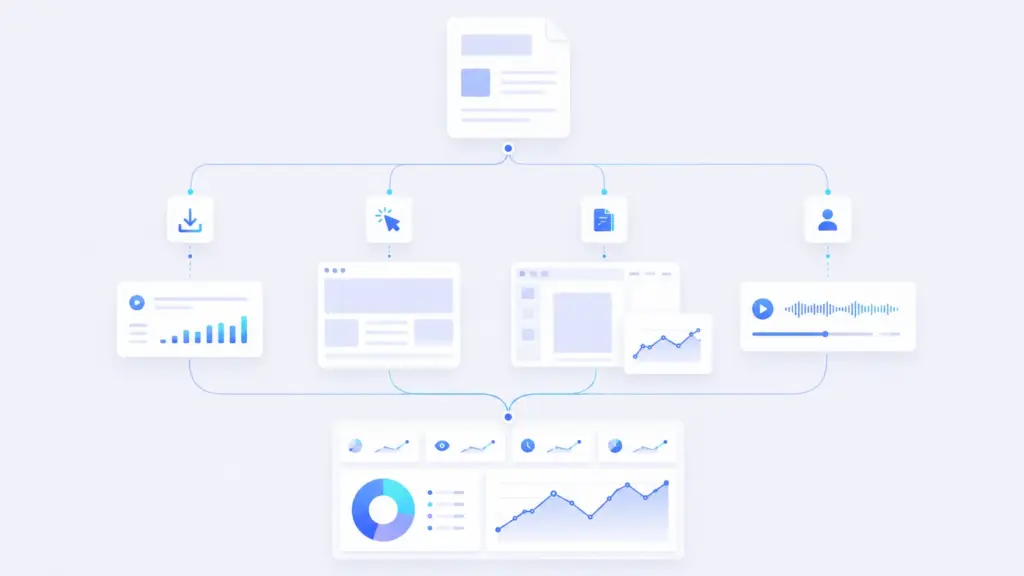
1. Track PDF downloads in GA4
The simplest PDF analytics method is tracking when someone clicks a PDF download link on your website.
Google Analytics 4 Enhanced Measurement can automatically collect file download events when users click links to common file types, including PDFs.
In GA4, these usually appear as a file_download event.
What this can tell you
- How many people clicked a PDF link.
- Which PDF files were downloaded.
- Which pages generated PDF download clicks.
- Which campaigns or traffic sources led to PDF downloads.
What this cannot tell you
- Whether the person opened the PDF.
- Whether they read page 2, page 10, or the conclusion.
- How long they spent reading it.
- Whether they forwarded it to someone else.
Best use case: basic reporting for website-hosted PDFs, such as guides, reports, brochures, menus, white papers, or downloadable resources.
2. Use Google Tag Manager for custom PDF download events
GA4 Enhanced Measurement is useful, but it is fairly generic. If you want more control, use Google Tag Manager.
With GTM, you can create a custom trigger for links that contain or end in .pdf, then send a custom event to GA4.
A tool like GTM lets you track extra details, such as:
- The page where the PDF was clicked.
- The link text.
- The CTA section.
- The content category.
- The campaign or funnel stage.
- The PDF title in a cleaner format.
Google Tag Manager can be used to configure events and send them to analytics platforms such as GA4.
When GTM is better than standard GA4 tracking
Use GTM when you want your PDF analytics to be more useful for marketing decisions.
For example, instead of only seeing that someone downloaded guide-final-v7.pdf, you could send a cleaner event like:
- Event: pdf_download
- PDF title: 2026 Buyer Guide
- CTA location: pricing_page_bottom_cta
- Funnel stage: consideration
That makes reporting easier later.
3. Add UTM codes to links inside the PDF
UTM codes are one of the most useful PDF analytics methods because they track what happens after someone clicks a link inside the PDF.
For example, imagine your PDF has a button that says “Book a demo”. If that button links to your normal demo page, GA4 may show the visit as direct, referral, or unattributed.
If the link includes UTM parameters, you can see that the traffic came from the PDF.
Example:
https://example.com/demo?utm_source=product-guide&utm_medium=pdf&utm_campaign=q2-report&utm_content=demo-cta
Useful UTM fields for PDF analytics
- utm_source: the PDF name or asset group, such as product-guide.
- utm_medium: pdf.
- utm_campaign: the campaign name, such as q2-report-launch.
- utm_content: the specific link or CTA, such as pricing-button or final-page-demo-cta.
Google’s campaign URL guidance explains how campaign parameters help identify where traffic came from.
What UTM links can track
- Visits generated by links inside the PDF.
- Which CTA inside the PDF drove the visit.
- Which PDF generated demo requests, bookings, signups, or purchases.
- Which campaign should receive credit for the visit.
What UTM links cannot track
UTM links do not tell you whether someone read the PDF. They only tell you when someone clicked a tagged link inside it.
Still, for most marketing teams, this is one of the highest-impact fixes. It turns a static PDF into a measurable campaign asset.
4. Use redirect links or short links in your PDFs
Redirect links are another way to track PDF CTA clicks.
Instead of linking directly to:
https://example.com/demo
You link to something like:
https://example.com/go/pdf-demo
That redirect URL can log the click before sending the user to the final destination.
Why redirect links are useful
- You can track clicks centrally.
- You can update the final destination later without editing the PDF.
- You can keep PDF links short and tidy.
- You can use different redirects for different CTAs.
- You can combine redirects with UTM parameters.
This can be done with a short-link platform, a WordPress redirect plugin, a custom redirect script, or server-side routing.
Best use case
Redirect links are especially useful when the PDF has already been sent to prospects, printed, shared with partners, or used in sales campaigns. If the destination changes later, you can update the redirect instead of rebuilding the PDF.
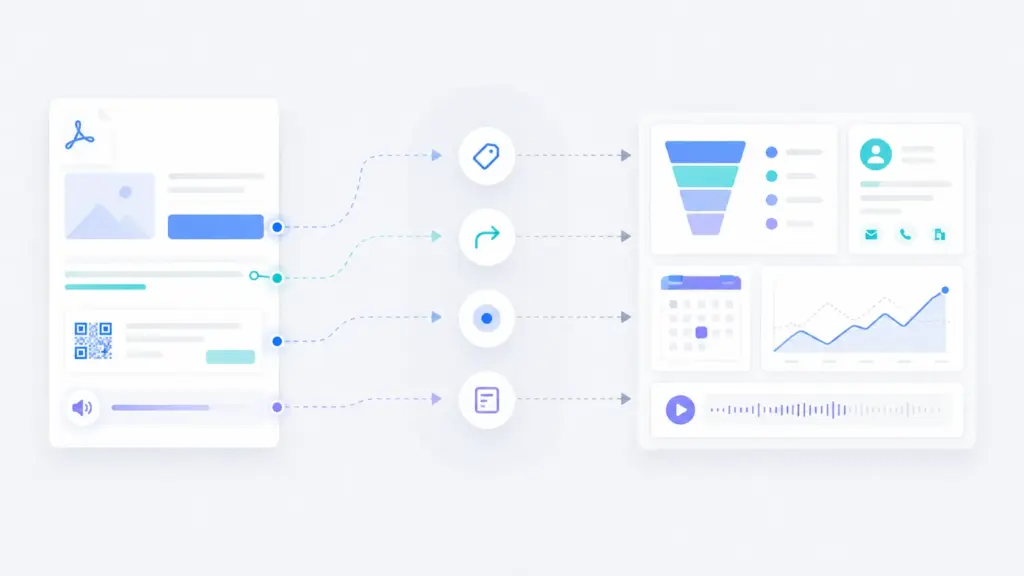
5. Track QR codes in PDFs and printed versions
QR codes are useful when a PDF may be printed, used at events, shared in sales meetings, or viewed on another device.
A QR code can point to a tracked landing page or redirect URL.
Example:
https://example.com/demo?utm_source=event-brochure&utm_medium=qr&utm_campaign=trade-show-2026
What QR analytics can show
- How many people scanned the QR code.
- Which brochure or PDF generated the scan.
- Which event, campaign, or print asset drove traffic.
- Whether QR scans converted into form fills, bookings, or sales conversations.
Where QR tracking works well
- Event brochures.
- Printed sales materials.
- Conference handouts.
- Direct mail PDFs.
- Posters and one-pagers.
- PDFs designed to be viewed on desktop while scanned on mobile.
Important: QR analytics track the scan and the resulting website visit. They do not track whether someone read the PDF itself.
6. Use specialist document tracking tools
If you need deeper PDF viewing analytics, a specialist document tracking tool may be a better fit.
Tools such as DocSend and Digify are designed to show how people engage with shared documents.
These tools usually work by hosting the PDF in their own viewer and giving you a shareable link.
What specialist document tracking tools can measure
- Who opened the document.
- When they viewed it.
- How long they spent on it.
- Which pages they viewed.
- Which pages got the most attention.
- Whether they downloaded, printed, or forwarded the document.
- Whether a prospect re-opened the document later.
Best use cases
- Sales proposals.
- Investor decks.
- Confidential reports.
- Enterprise sales documents.
- Board packs.
- Partner documents.
This is probably overkill for every blog PDF or public brochure. But for high-intent sales material, it can be very useful.
Main limitation
The user usually has to view the PDF through the platform’s viewer. If they download the file and open it elsewhere, your tracking becomes much weaker.
7. Convert PDFs into flipbooks or hosted publications
Flipbook platforms convert PDFs into online publications. Instead of sending a raw PDF file, you send people to a hosted reading experience.
Platforms such as Flipsnack can provide analytics such as views, impressions, clicks, downloads, and time spent.
What flipbook analytics can track
- Views.
- Page turns.
- Clicks on interactive elements.
- Time spent.
- Downloads.
- Engagement by publication.
Best use cases
- Brochures.
- Magazines.
- Catalogues.
- Annual reports.
- Lookbooks.
- Public-facing guides.
The benefit is that the PDF becomes more measurable and interactive. The drawback is that it is no longer just a simple PDF download. You are moving people into a hosted content experience.
8. Use an embedded PDF viewer on your website
An embedded PDF viewer can give you more detailed PDF analytics while keeping the content on your own website.
For example, Adobe PDF Embed API allows developers to embed PDF files into web pages. Adobe’s documentation explains that interaction events can include PDF load, page view, search, text copy, hyperlink open, print, and download actions.
What embedded PDF viewer analytics can measure
- PDF loads.
- Page views inside the PDF.
- Searches within the PDF.
- Hyperlink clicks.
- Print events.
- Download events.
- Copy actions.
- Zoom interactions.
When this is useful
This is useful when you want the PDF to behave more like a trackable web experience, but you still want to display the original PDF.
For example:
- A policy document embedded in a resource hub.
- A product brochure embedded on a landing page.
- A research report embedded in a campaign page.
- A manual or documentation PDF embedded in a support section.
Main limitation
This only works while the user views the PDF inside the embedded viewer. If they download the file and open it elsewhere, your viewer analytics stop.
9. Analyze server or CDN logs
Server logs and CDN logs are not glamorous, but they can be useful.
Every time someone requests a PDF file from your server, that request may appear in your logs. This can show raw PDF file requests even when GA4 misses them.
What server logs can show
- The PDF URL requested.
- The time of the request.
- The IP address.
- The user agent.
- The referrer, if available.
- The status code.
- The number of file requests over time.
Why logs matter
GA4 may miss some PDF access because the PDF file itself is not a web page running analytics scripts.
If someone opens a PDF directly from an email, a Slack message, a CRM record, or a bookmarked file URL, server logs may be the only place where that file request appears.
Main limitation
Logs are technical. They are harder for marketing teams to interpret. They also do not show reading behavior. A file request is not the same as proof that someone read the content.
Privacy note: server logs can include IP addresses and user agents, so you need sensible retention, access control, and privacy practices.
10. Use gated downloads and CRM tracking
Another common PDF analytics method is gating the PDF behind a form.
Instead of tracking anonymous downloads, you ask the user to submit their details before accessing the PDF.
What gated PDF tracking can show
- Who requested the PDF.
- Which campaign generated the request.
- Which UTM source, medium, or campaign led to the form submission.
- Whether the person later booked a call, requested a demo, or became a customer.
- Which PDF assets generate useful leads.
Where this works well
- B2B reports.
- Buyer guides.
- Templates.
- Industry research.
- Comparison guides.
- High-value downloadable content.
Where it can fail
Gating can reduce access. Some users will not fill in a form just to download a PDF.
Also, a gated download still does not prove the person read the file. It proves they requested it.
For many B2B teams, the best setup is not “gate everything”. It is to match the gate to the value of the asset and the stage of the buyer journey.
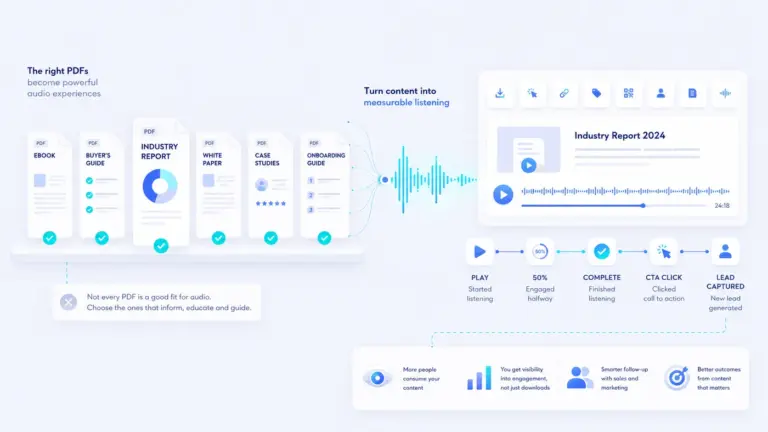
11. Turn the PDF into audio and track listening analytics
This is the method most PDF analytics articles miss.
If the real question is “did someone consume the content?”, then downloads and link clicks only get you part of the way there.
Another option is to turn the PDF into a trackable audio experience.
Instead of only asking:
Did someone download the PDF?
You can ask:
Did someone listen to the content, how far did they get, and did they take action afterwards?
What audio analytics can track
- Audio plays.
- Listening time.
- Completion rate.
- Drop-off points.
- Repeat listens.
- CTA clicks from the audio player.
- Lead capture from the listening experience.
Audio platforms such as SoundCloud provide engagement metrics such as plays and other listener actions. A custom website audio player can also send play, pause, progress, and completion events into analytics tools.
Why this matters for long PDFs
Many B2B PDFs are long. Reports, white papers, guides, and resource PDFs often ask for more attention than the average reader is willing to give in one sitting.
An audio version gives users another way to consume the same content. It can also create a more measurable journey.
This does not replace PDF analytics. It adds another layer.
A downloaded PDF is difficult to measure after the download. A hosted audio version can be measured as people listen.
Tools like Auripath are building toward this kind of workflow, where a PDF can become a trackable audio experience with listening analytics and calls to action.
Which PDF analytics method should you use?
The right method depends on the question you need to answer.
If you want to know how many people downloaded a PDF
Use GA4 Enhanced Measurement or Google Tag Manager download events.
If you want to know which PDF links drive traffic
Add UTM codes to the links inside the PDF.
If you want to track QR scans from printed PDFs
Use QR codes with UTM-tagged landing page URLs or tracked redirect links.
If you want page-by-page PDF engagement
Use a specialist document tracking tool, flipbook platform, or embedded PDF viewer.
If you want to connect downloads to known leads
Use gated downloads, CRM tracking, and hidden UTM fields on your forms.
If you want to know whether people actually consumed the content
Consider an audio version with listening analytics, especially for longer reports and guides.
A practical PDF analytics setup for most B2B teams
For most B2B websites, you do not need every method at once.
A sensible setup might look like this:
- Enable GA4 file download tracking so PDF clicks are visible.
- Add GTM custom events for important PDFs, especially high-value guides or sales assets.
- Audit every link inside the PDF and add clean UTM parameters.
- Use redirect links for key CTAs you may want to update later.
- Add QR tracking if the PDF will be printed or used at events.
- Use CRM forms for high-value gated assets where lead capture is appropriate.
- Use specialist document tracking for sales proposals, investor decks, and high-intent documents.
- Create an audio version for long-form content where consumption matters.
This gives you visibility across downloads, clicks, conversions, and content engagement without overcomplicating the stack.
PDF analytics audit checklist
Before publishing or promoting your next PDF, check the following:

- Is the PDF download tracked in GA4?
- Are PDF clicks tracked through GTM where needed?
- Are all internal links inside the PDF UTM-tagged?
- Are CTA links consistent across the PDF?
- Are demo, pricing, booking, and contact links measurable?
- Are QR codes tracked with campaign URLs?
- Are short links or redirects used for important CTAs?
- Are broken or outdated links fixed?
- Is the PDF gated only where it makes commercial sense?
- Does the CRM capture source and campaign data?
- Would a hosted viewer give you better engagement data?
- Would an audio version make the content easier to consume and track?
You can also turn this into a simple spreadsheet.
| Link or CTA | Destination | Tracking issue | Recommended fix | |
|---|---|---|---|---|
| Buyer Guide | Book a demo | /demo/ | No UTM parameters | Add utm_medium=pdf and utm_content=demo-cta |
| Product Brochure | QR code | /pricing/ | No campaign tracking | Use tracked redirect or UTM-tagged QR URL |
| Annual Report | Contact us | /contact/ | Generic CTA link | Create a specific PDF CTA link |
| White Paper | Download template | /resources/template/ | Cannot identify source PDF | Add utm_source=white-paper |
Privacy and consent considerations
PDF analytics can involve cookies, IP addresses, user IDs, CRM records, email addresses, and behavioral data.
That does not mean you should avoid tracking. It means you should be clear about what you are collecting and why.
In the UK, the ICO guidance on cookies and similar technologies is a useful starting point for understanding when analytics tracking may need clear information, consent, or additional privacy controls.
Consider:
- Whether your cookie banner covers analytics events.
- Whether your forms explain what happens after submission.
- Whether your CRM stores campaign source data appropriately.
- Whether document tracking tools identify individual viewers.
- Whether third-party platforms process data outside your region.
- How long server logs are retained.
- Whether personal data appears in URLs, UTM fields, or event parameters.
Do not put personal data inside UTM parameters. Keep campaign tracking descriptive, not personally identifiable.
Common PDF analytics mistakes
- Only tracking downloads and assuming that means people read the PDF.
- Using untagged links inside PDFs, which makes PDF-driven traffic harder to attribute.
- Using inconsistent UTM names, which splits reporting across messy campaign values.
- Forgetting QR codes in PDFs that may be printed or shared offline.
- Gating every PDF, even when the content is better used for reach and education.
- Ignoring server logs when PDFs are accessed directly.
- Using specialist tracking tools for the wrong assets, such as low-value public PDFs.
- Not tracking audio or alternative formats when the real goal is content consumption.
Conclusion: PDF analytics is really a measurement stack
There is no single perfect PDF analytics method.
GA4 can tell you who clicked a download link. UTM codes can show which links inside the PDF drove traffic. Redirects and QR codes can make CTAs measurable. Specialist platforms and embedded viewers can show page-level engagement. CRM tracking can connect PDF requests to known leads. Audio analytics can show whether people actually consumed the content in another format.
The best approach is to decide what you actually need to measure before choosing the tool.
If your PDF is a simple brochure, GA4 download tracking and UTM links may be enough. If it is a sales proposal, use document tracking. If it is a long report or guide, consider creating a measurable audio version as well.
PDF analytics is not just about counting downloads. It is about finding the blind spots between content, campaigns, and conversion.
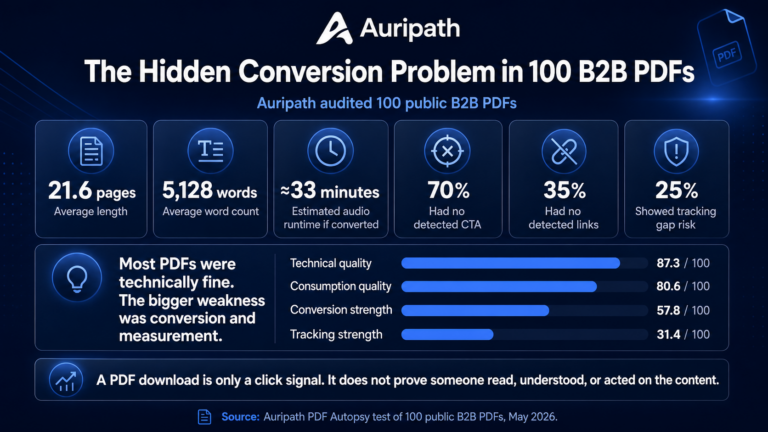
For aggregate data on how business PDFs score across tracking, conversion and format fit, see the PDF Benchmark Report. For more practical content tracking ideas, see our guides on PDF accessibility checks, PDF to audio workflows, PDF content audits.
Frequently asked questions
Can Google Analytics track PDF views?
Google Analytics can track PDF download clicks when users click PDF links on your website. It does not automatically track what someone reads inside a downloaded PDF. For page-level PDF viewing analytics, you usually need an embedded viewer or specialist document tracking platform.
Can GA4 track PDF downloads?
Yes. GA4 Enhanced Measurement can automatically track file download clicks for common file types, including PDF files. You can also use Google Tag Manager for more customized PDF download events.
Can I track links inside a PDF?
Yes. The simplest method is to add UTM parameters to the links inside the PDF. When someone clicks a tagged link and lands on your website, analytics tools can attribute the visit to that PDF.
Can I see how long someone spent reading a PDF?
Not usually with a normal downloaded PDF. To measure reading time or page engagement, the PDF normally needs to be viewed inside a hosted document tracking tool, flipbook platform, or embedded PDF viewer.
Are PDF analytics tools GDPR compliant?
They can be, but it depends on what data you collect, which tools you use, and how you disclose tracking. Be careful with user-level document tracking, CRM data, IP addresses, and third-party platforms. Do not put personal data in UTM parameters.
What is the best PDF analytics method?
For basic marketing reporting, use GA4 download tracking plus UTM links inside the PDF. For sales documents, use a specialist document tracking tool. For long reports and guides, consider adding an audio version so you can track plays, completion, and engagement.

Get the free audio ebook for better B2B follow-up.
Learn how to turn PDF downloads, listening behavior, and CTA clicks into stronger sales conversations.